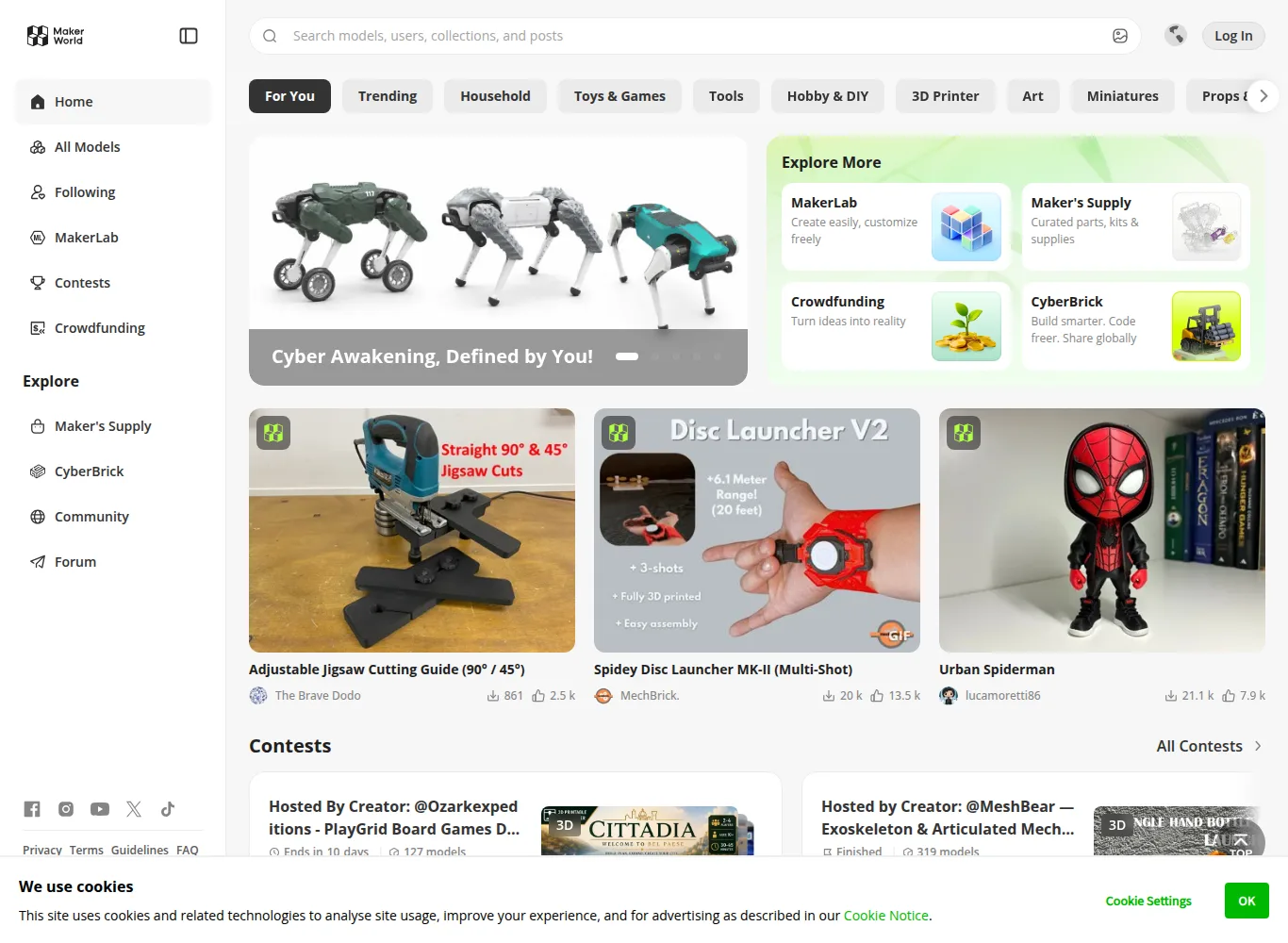
MakerWorld is a next-generation model sharing platform that brings slicer settings directly to the cloud, founded by Bambu Lab, which started the high-speed, multi-color printing shift in the desktop 3D printing industry[1][2].The ecosystem with the Bambu Handy integration that allows you to start printing with a single click from your smartphone, the verified Print Profiles mechanism and the Maker’s Supply showcase that combines physical hardware kits with design; It has redefined standards in the entire 3D printing world, from amateur users to professional engineers[2][3].
⚡ MakerWorld Data at a Glance
Supported File Formats and Technical Standards
Unlike legacy 3D model repositories, MakerWorld is optimized around three primary file architectures:
- .3MF (3D Manufacturing Format): Unlike legacy geometry-only STL files, .3MF bundles layer heights, nozzle temperatures, AMS multi-color filament assignments, infill patterns, and support settings into a single compressed container.[1][3]
- .STEP / .STP (Native Parametric CAD Geometry): Stores true mathematical curves rather than approximated polygonal mesh facets, allowing modern slicers to generate smoother toolpaths and precise tolerances.[2][4]
- WebAssembly OpenSCAD (.SCAD): Runs an in-browser WebAssembly compiler for parametric models, letting users modify dimensions and parameters via form fields without downloading specialized software.[1]
Official MakerWorld Points & Reward Schedule
| Action / Milestone | Points Awarded | Requirements & Verification |
|---|---|---|
| Original Model Upload | 2 Points | Model must be authentic and pass copyright verification. |
| First 50 Downloads / Prints | Tiered Milestone Points | Requires at least one verified working print profile. |
| Print Profile Verification | Bonus Points | Granted when users confirm prints with real photos and ratings. |
| Store Voucher Redemption | 490 Points = ~40 USD / EUR | Redeemable directly on official Bambu Lab store for filament and hardware. |
Validated Print Profiles: No More Slicing Hassle
When a raw STL file is downloaded from traditional 3D printing repositories, the user must manually adjust dozens of parameters in their slicer, such as nozzle temperature, layer height, support type, speed and orientation[2][3].A small mistake made in this process can lead to hours of printing frustration and waste of filament.
MakerWorld solved this problem with the Print Profiles approach[3]:
- Tested Slicing Files: The designer or community members personally print the model and save the tested slicing settings to the profile[3].
- Community Success Rating: Other users using the profile confirm or score the print result with a photo;so the profile that works best goes to the top of the list[3][6].
- Mobile One-Click Printing: User selects the model in the Bambu Handy app, matches the colored filament slots on the AMS unit and sends the “Print” command directly; There is no need to even open a slicer[1][4].

Maker’s Supply: Bringing Digital Design to Physical Hardware
One of the biggest hurdles in the world of 3D printing has been the difficulty of sourcing the non-standard hardware (screws, bearings, micromotors, springs and cables) required when producing moving mechanisms, robotic arms or lighting fixtures[5].Bambu Lab completed this chain by launching the Maker’s Supply initiative at the beginning of 2024[5][7]:
| Component Type | Model Page Integration | Contribution to the User |
|---|---|---|
| Mechanical Hardware | M2/M3 screw sets, stainless ball bearings, gear shafts[5] | Adds the right size hardware to your cart with a single click, without searching for it in hardware stores. |
| Electronic Modules | LED light strips, lithium battery holders, small fans and switches[5] | It offers ready-made electrical architecture for table lamps, night lights and ventilation projects. |
| Wireless Kits | Wireless charging coils and Bluetooth sensor ports[5][7] | It brings smart home accessories and desktop charging stations to professional product standards. |
MakerWorld Points System and Designer Incentives
Bambu Lab has built an extremely generous pool of points and rewards to fuel MakerWorld’s growth[5][6]:
- Point Earning: As a model gains popularity, a successful print profile is uploaded, or users leave reviews, the point balance increases[6].
- Gift Card and Hardware: Accumulated points are converted into gift cards that can be spent directly at the official Bambu Lab store. Many active designers are procuring new 3D printers and tens of kilos of filament with these points[5][6].
- Copyright Protection and Auditing: A strict copyright complaint mechanism consisting of automatic algorithms and human auditors is operated in order to weed out models copied from other sites without permission[2][7].
Objective Technical Feature Matrix: MakerWorld vs. Printables vs. Thingiverse
| Technical Parameter | MakerWorld (Bambu Lab) | Printables (Prusa Research) | Thingiverse (UltiMaker) |
|---|---|---|---|
| Primary File Standard | .3MF (Embedded Slicer Settings) | .3MF and .STL | .STL (Predominant) and .OBJ |
| Native CAD (.STEP) Support | Yes (Preview & Direct Download) | Yes (Preview & Direct Download) | Limited / Undocumented |
| In-Browser Parametric Engine | Yes (WebAssembly OpenSCAD) | Yes (OpenSCAD Integration) | Yes (Customizer – Legacy) |
| Mobile One-Click Printing | Bambu Handy (Cloud-integrated) | Prusa Connect (Mobile web-based) | None (File download only) |
| Compatible Open Slicers | Bambu Studio, OrcaSlicer | PrusaSlicer, OrcaSlicer, Cura | Cura, PrusaSlicer, IdeaMaker |
| Licensing Frameworks | Creative Commons (BY, NC, SA, ND) | Creative Commons & Standard Digital | Creative Commons & Public Domain (CC0) |
| Integrated Hardware Kits | Maker’s Supply (Screws, bearings, LEDs) | Individual community BOM lists | Text descriptions only |
References and Verified Sources
[1] MakerWorld Official Platform and 3D Model Library: makerworld.com
[2] Bambu Lab Official Announcements, MakerWorld Ecosystem and Beta Process: bambulab.com
[3] All3DP, MakerWorld Review, Print Profiles and Bamboo Ecosystem Analysis: all3dp.com
[4] Dr. Tao and Bambu Lab Engineering Vision, High Speed 3D Printing Report: bambulab.com/about-us
[5] MakerWorld Maker’s Supply Hardware Store and Parts Integrations: makerworld.com/makers-supply
[6] MakerWorld Reward System and Points Earning Guide: makerworld.com/points
[7] 3D Printing Industry, MakerWorld and Multicolor 3D Printing Trends: 3dprintingindustry.com
More platforms like this one are compared in our list of 3D model sites.