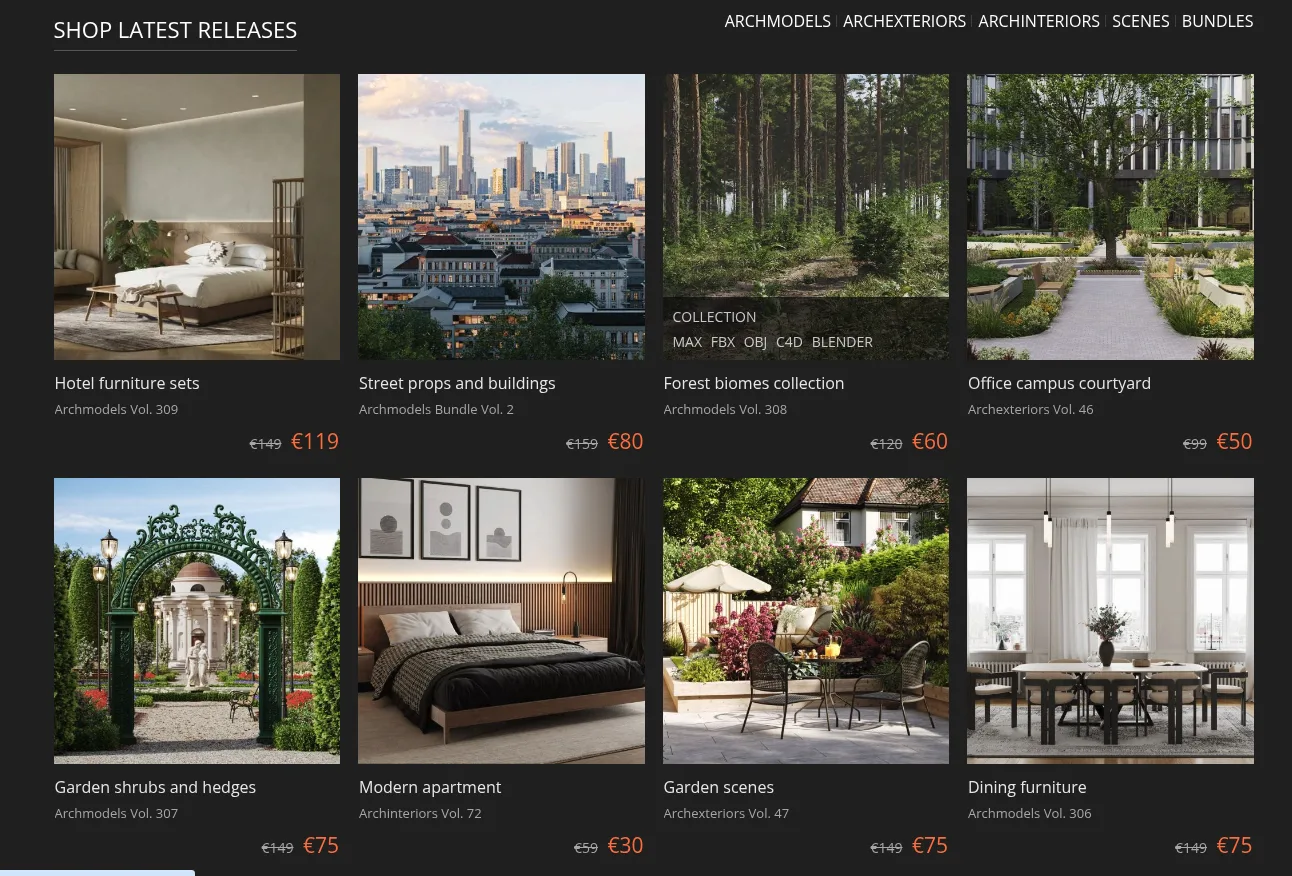
Evermotion stands as the foundational pioneer of commercial architectural visualization libraries. Renowned for its industry-defining Archmodels, Archinteriors, and Archexteriors product collections, Evermotion delivers complete turnkey architectural environments, high-density residential developments, and real-time Unreal Engine 5 interactive walkthroughs. For over two decades, top visualization studios and real estate developers have depended on Evermotion to accelerate client renderings from weeks to hours.
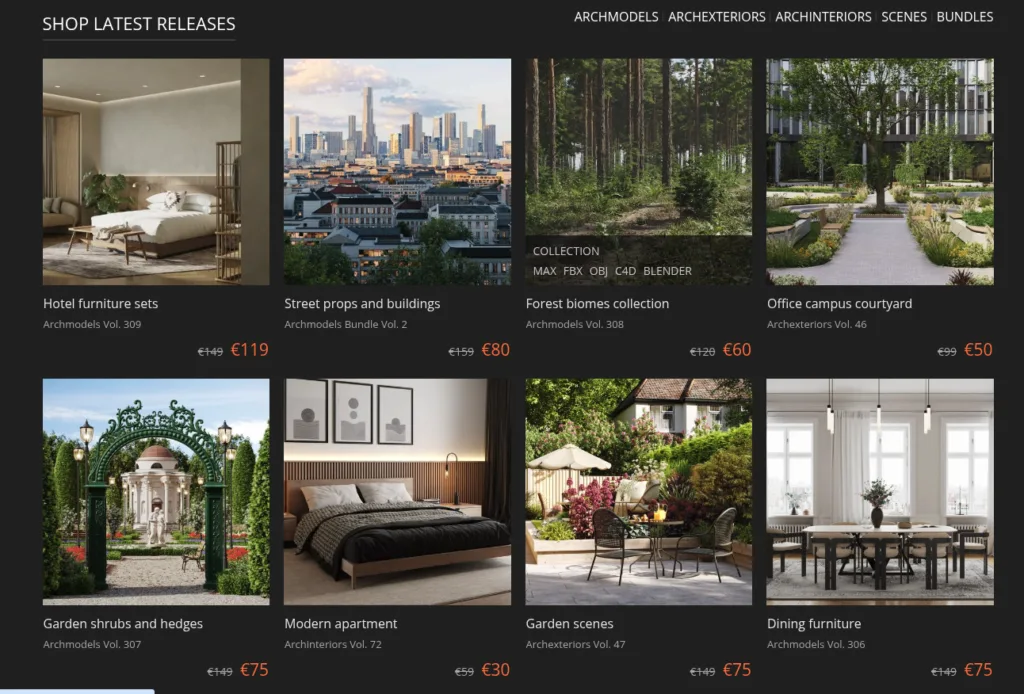
⚡ Platform At a Glance
The Pioneer That Defined Commercial ArchViz Assets
Before digital 3D marketplaces and cloud asset streaming existed, architectural visualization artists had to manually build every sofa, street lamp, and potted plant from scratch. Founded in 1998 in Poland, Evermotion revolutionized the industry by introducing standardized, production-grade 3D model volumes through their iconic Archmodels series [1]. Delivered initially on physical media and later via high-speed digital distribution, each volume provided 50 to 100 perfectly matched, pre-textured models centered around specific themes—such as modern living rooms, hotel kitchens, medical facilities, or urban streetscapes.
Today, Evermotion’s catalog spans over 260+ Archmodels volumes and dozens of comprehensive scene archives [2]. They remain an indispensable resource for commercial studios requiring cohesive, high-density assets that render flawlessly under tight client deadlines.
Turnkey Archinteriors & Archexteriors Scene Architecture
While individual 3D prop libraries are common, Evermotion’s flagship competitive advantage lies in its fully articulated Archinteriors and Archexteriors collections [3]. Rather than isolated objects floating in an empty coordinate system, these are complete, production-ready architectural scenes:
- Fully Calibrated Lighting Rigs: Complete daylight systems incorporating physical sun angles, skylights with portal lights, HDRI environment spheres, and interior artificial light fixtures with measured photometric IES profiles.
- Atmospheric Post-Processing: Pre-configured depth of field, volumetric aerial perspective, and color tone-mapping configured directly within V-Ray Frame Buffer (VFB) or Corona Tone Mapping controls.
- Turnkey Multi-Room Layouts: Complete multi-story villas, penthouses, restaurants, and office suites with full adjoining rooms, hallways, and exterior landscape sightlines.
- Instant Geometry Replacement: Artists can open an Evermotion scene, replace the existing building structure with their architectural design, and instantly render photorealistic client imagery without building environments from zero.
Unreal Engine 5: Real-Time Interactive Virtual Walkthroughs
In response to the architectural industry’s rapid shift toward real-time virtual presentations, Evermotion transformed its most acclaimed scenes into dedicated Unreal Engine 5 environments [4]. These real-time packages are engineered from the ground up for UE5 features:
- Lumen Dynamic Global Illumination: Real-time bounced lighting and glossy specular reflections that dynamically adapt to moving sun positions and interior lighting adjustments.
- Nanite Virtualized Geometry: Ultra-dense furniture cushions, carved molding, and architectural stonework rendered without manual level-of-detail (LOD) pop-in or polycount bottlenecks.
- Interactive Blueprints: Pre-programmed functionality including interactive doors, toggleable ceiling lamps, material swatches for flooring, and first-person architectural navigation cameras ready for client VR walkthroughs.
Architectural Scene & Asset Libraries Benchmark Matrix
To evaluate how Evermotion compares against other leading architectural asset platforms and environment libraries, review the technical comparison below:
| Platform | Primary Offering | Scene Completeness | Real-Time Pipeline | DCC Focus | Pricing Model |
|---|---|---|---|---|---|
| Evermotion | Archmodels volumes & full Archscenes | Turnkey multi-room scenes with lighting & cams | Native Unreal Engine 5 (Lumen/Nanite) | 3ds Max (V-Ray/Corona), Blender, C4D | Volume packs ($120–$150) & full scenes |
| KitBash3D | Cinematic urban worldbuilding & VFX kits | Modular structural building blocks | Cargo 1-click import into UE5 & Unity | Universal Pixar USD, Blender, Maya, Max | Cargo Pro subscription ($65/mo) or kits |
| Design Connected | Licensed luxury furniture & lighting decor | Isolated hero furniture pieces | FBX / uncompressed PBR maps | 3ds Max (Corona/V-Ray), Blender, Connecter | Per-model retail ($19–$59) & credits |
| 3DSky (3DDD) | Community-uploaded furniture & decor | Individual assets (Varying shader setups) | Limited real-time optimization | Predominantly 3ds Max (Corona/V-Ray) | Monthly credits (~$7 per Pro model) |
| TurboSquid | Broad commercial library (Vehicles, humans) | Standalone certified assets (CheckMate Pro) | GLTF, USD, and game-engine exports | Universal DCC software formats | Individual commercial purchases ($49–$399) |
Technical Diagnostics: Rendering & Production Troubleshooting
When managing large-scale Evermotion collections, complex interior scenes, or exterior vegetation scattering in active studio pipelines, resolve production bottlenecks using these verified steps:
1. Resolving Missing Bitmap Paths via Asset Tracking in 3ds Max
Symptom: Merging models from older Archmodels volumes triggers “Missing External Files” warnings, resulting in black or gray untextured render geometry.
Resolution: In 3ds Max, open Asset Tracking (Shift + T or File > Reference > Asset Tracking). Highlight all bitmap entries showing “File Missing”, right-click, choose Set Path, and direct the file browser to the unzipped maps folder. Alternatively, run MaxScript to re-link paths in bulk: for f in (getClassInstances Bitmaptexture) do (f.fileName = @"D:Textures" + filenameFromPath f.fileName) [5].
2. Viewport Lag & RAM Overflows from Dense Vegetation (Proxies)
Symptom: Loading large Archexteriors scenes with thousands of botanical trees, shrubs, and grass clumps reduces viewport performance to 1–2 FPS or exhausts available VRAM.
Resolution: Ensure all high-polygon foliage is exported to VRayProxy (.vrmesh) or CoronaProxy (.cgeo) containers. In the proxy display properties, switch the viewport mode to “Bounding Box” or “Point Cloud (1%)”. Distribute instances using scattering engines like Forest Pack Pro or Corona Scatter rather than native 3ds Max mesh clones [6].
3. Unreal Engine 5 Datasmith Import & Two-Sided Foliage Shaders
Symptom: Importing Evermotion 3ds Max scenes into UE5 via Datasmith causes architectural glass to appear completely pitch-black, or tree leaves display unnatural black undersides without sunlight transmission.
Resolution: For window glass, set the UE5 material blend mode to Translucent, lighting mode to Surface TranslucencyVolume, and plug a Fresnel curve into Opacity. For foliage materials, switch Shading Model to Two-Sided Foliage and route the leaf albedo map into Subsurface Color to allow realistic direct sunlight bleed-through [4].
Supported File Formats & Software Compatibility
| Format | Host Software / Render Engine | Production Integration |
|---|---|---|
| .MAX | Autodesk 3ds Max (V-Ray, Corona Renderer) | Native master scenes with turnkey sunlight, cameras, and render settings |
| .UPROJECT | Unreal Engine 5.x (Lumen & Nanite) | Real-time interactive environments with collision bounds and lighting Blueprints |
| .C4D | Maxon Cinema 4D (V-Ray, Advanced Render) | Pre-rigged lighting rigs and material tags ready for architectural animation |
| .BLEND | Blender 3.x / 4.x (Cycles) | Principled BSDF shader trees configured for GPU path tracing |
| .FBX / .OBJ | Maya, SketchUp, Rhino, Lumion, Twinmotion | Universal quad topology with embedded texture maps for DCC interchange |
Licensing & Commercial Usage Rights
Evermotion distributes its assets under a clear, studio-friendly Royalty-Free Commercial License [7]:
- Commercial Client Renderings: Full commercial rights to incorporate Evermotion models and scenes into architectural visualizations, commercial advertisements, broadcast television, print catalogs, and client pitches.
- Video Games & Real-Time Apps: Permitted for commercial interactive applications and game environments, provided assets are compiled into proprietary binary formats that prevent end users from extracting raw 3D mesh files.
- Multi-Seat Studio Access: Assets purchased under studio licenses can be stored on central office network storage and utilized concurrently across the studio’s rendering pipeline.
Pros & Considerations Summary
✅ Strengths
- Complete turnkey architectural scenes with pre-configured lighting, cameras, and materials.
- Enormous catalog spanning over 260+ curated Archmodels thematic volumes.
- High-end Unreal Engine 5 packages optimized with real-time Lumen and Nanite.
- Cost-effective volume pricing provides dozens of matching models per collection.
- Comprehensive coverage of exterior landscaping, foliage, vehicles, and urban props.
⚠️ Considerations
- Primary focus remains centered on 3ds Max and V-Ray/Corona (other DCC formats vary per release).
- Archscenes require significant system RAM (32GB–64GB recommended) to render unproxied geometry.
- No desktop asset streaming manager (manual ZIP download and folder management required).
Frequently Asked Questions
What is the difference between Archmodels and Archscenes?
Archmodels are curated thematic libraries containing individual 3D objects (such as 100 chairs, lamps, or trees). Archscenes (Archinteriors and Archexteriors) are fully articulated, turnkey architectural environments complete with walls, lighting, cameras, furniture arrangements, and render settings [3].
Are Evermotion models compatible with Blender Cycles?
Yes, newer Archmodels releases and dedicated Blender packs feature native .blend scene files configured with Principled BSDF node shaders for Cycles ray tracing. Universal FBX/OBJ exports can also be imported into Blender.
Can I use Evermotion assets in commercial architectural client renderings?
Yes, Evermotion’s Royalty-Free Commercial License grants perpetual rights to utilize assets in client renderings, advertising imagery, print publications, and commercial animations without additional royalty fees [7].
Does Evermotion offer free samples to evaluate asset quality?
Yes, Evermotion hosts a dedicated “Free Stuff” repository featuring full sample scenes, furniture models, and architectural tutorials to test pipeline compatibility before purchasing volumes [8].
Verified References & Authoritative Sources
- Evermotion Official Marketplace & Community Portal — Architectural visualization assets and turnkey 3D scenes.
- Evermotion Archmodels Complete Catalog — Thematic 3D model volumes for interior and exterior design.
- Evermotion Archinteriors & Archexteriors Archives — Turnkey multi-room architectural scene environments.
- Epic Games Unreal Engine: Architecture Solutions — Real-time ArchViz standards, Lumen, and Nanite workflows.
- Autodesk 3ds Max Documentation: Asset Tracking Dialog — Managing external bitmap paths and XRefs.
- Chaos V-Ray Documentation: VRayProxy Objects — Memory-efficient geometry instancing for high-density foliage.
- Evermotion Commercial License Terms & Conditions — Official royalty-free commercial usage rights.
- Evermotion Free Downloads & Sample Assets — Production-ready test scenes and architectural models.
More platforms like this one are compared in our list of 3D model sites.