



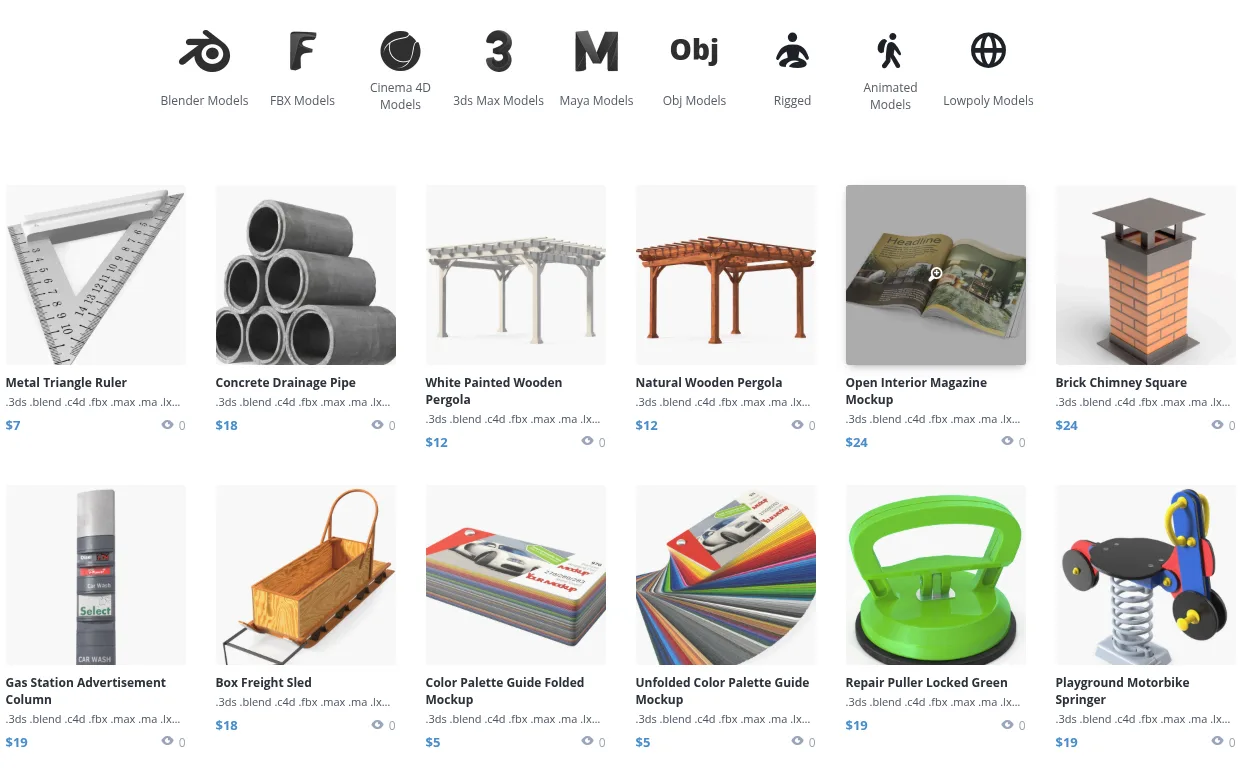
Free3D is a community-driven repository for free 3D models and budget digital assets. Housing over 20,000+ free downloadable meshes across architecture, vehicles, characters, and low-poly game assets, Free3D is a favorite quick-asset resource for students, hobbyists, indie developers, and rapid concept layout prototyping.
⚡ Platform At a Glance
The Go-To Free Resource for Prototyping and Learning
For beginners entering the 3D industry and indie developers working with zero budget, **Free3D** has long served as a vital starting point. The platform offers instant access to tens of thousands of 3D meshes without mandatory registration walls or subscription paywalls.
The catalog is organized into intuitive categories including **Vehicles, Architecture, Characters, Animals, Electronics, Weapons, and Plants**, allowing artists to quickly populate background scenes, test lighting setups, or practice UV unwrapping and retopology.
Quality Spectrum & Best Practices for Asset Optimization
Because Free3D accepts community contributions from artists around the globe, model quality spans a wide spectrum—from amateur student experiments to studio-grade game props. When importing Free3D models into production pipelines, professional artists follow a quick 4-step checklist:
1. **Check Scale & Origin:** Reset scale transformations and center the pivot point to the model base.
2. **Check Face Normals:** Run a quick normal recalculation in Blender (Shift+N) to fix inverted backfaces.
3. **Clean Non-Manifold Geometry:** Remove loose vertices, duplicate overlapping faces, and zero-area polygons.
4. **Optimize Texture Paths:** Reassign relative texture paths to ensure clean PBR shader linking.
Supported Formats & Software Compatibility
| Format | Target Software / Engine | Best Application |
|---|---|---|
| .OBJ / .MTL | Blender, Maya, 3ds Max, C4D | Universal interchange with basic material definitions |
| .FBX | Unreal Engine, Unity, Godot | Pre-rigged characters and skeletal animations |
| .BLEND | Blender 3.x / 4.x | Ready-to-render Cycles and Eevee setups |
| .MAX / .3DS | Autodesk 3ds Max | Legacy and modern architectural visualization props |
| .STL | 3D Printing Slicers | Makers and basic physical 3D prints |
⚖️ Licensing, Copyright & Legal Protection
Most free assets are provided under Personal/Non-Commercial and Royalty-Free licenses for educational and portfolio work. Always inspect the specific license tag on individual download pages before using models in commercial games or client marketing.
💰 Pricing & Artist Royalty Structure
Over 20,000 models are 100% free with instant 1-click downloads. Premium model listings are also available starting from $5 to $50.
Pros & Cons Summary
✅ Strengths
- Massive selection of 20,000+ free downloadable 3D models.
- Instant 1-click downloads without mandatory account registration for free items.
- Excellent resource for students, rapid prototyping, and background scene dressing.
- Multi-format availability covering both modern and legacy 3D software.
⚠️ Considerations
- Variable topology and UV quality across community uploads requires pre-flight inspection.
- Licensing terms vary by model artist and must be verified for commercial projects.
- Fewer procedural shader networks compared to modern specialized asset stores.
🛠️ Technical Troubleshooting & Model Ingestion Guide
- Resolving Missing Textures in Imported OBJ Files: OBJ format separates geometry from textures using an accompanying
.mtlfile. If textures load as solid white/gray, open the.mtlfile in a text editor and ensure themap_Kdtexture file paths point to relative local directory files. - Fixing Inverted Face Normals: Models downloaded from community sources occasionally feature flipped polygons that render invisible in game engines. In Blender, select all faces in Edit Mode and press
Shift + N(Recalculate Outside). - Correcting Scale Discrepancies between DCCs: Legacy
.maxor.3dsmodels often export in Imperial units (inches), appearing 25.4 times larger in Blender or Unreal Engine. Apply an0.03937scale multiplier or apply object transforms (Ctrl + A > All Transforms).
Frequently Asked Questions
Do I need to register an account to download free models on Free3D?
No! For the majority of free 3D models on Free3D, you can click the download button and save the ZIP archive immediately without registering an account.
Can I use Free3D models in a commercial game?
You must check the license badge on the individual model’s page. Models marked ‘Personal Use’ cannot be used commercially, while models marked ‘Royalty-Free’ can be used in commercial games.
How do I fix textures not showing up when I open an OBJ file from Free3D?
OBJ files store textures as separate image files in the ZIP archive. Extract the entire ZIP to a folder, and in Blender or Maya, re-link the texture files in the material/shader properties window.
Explore Related 3D Platforms
Compare with these top alternative 3D platforms in our directory:
- Poly Haven Review
- CGTrader Review
- Kenney & Quaternius Review
- Browse the full index: Ultimate List of 50+ 3D Model Sites
Free 3D Asset Repositories Technical Comparison Matrix
| Technical Feature | Free3D | Poly Haven | OpenGameArt | Kenney & Quaternius |
|---|---|---|---|---|
| Primary Specialization | Community-Contributed 3D Meshes & Prototyping Assets | Curated CC0 PBR Materials, HDRIs & Scans | Indie 2D/3D Game Sprites, Audio & Low-Poly Meshes | Standardized Modular Game Kit Assets |
| Catalog Volume | 20,000+ Free Models & Budget Premium Items | 1,200+ High-End Photorealistic Assets | 50,000+ Mixed 2D/3D Community Assets | 20,000+ Modular Assets across dozens of kits |
| Licensing Standard | Personal / Editorial & Royalty-Free Commercial | 100% Creative Commons Zero (CC0 / Public Domain) | Mixed Open Licenses (CC-BY, GPL, CC0) | 100% Creative Commons Zero (CC0 / Public Domain) |
| Account Barrier | Instant Download (No account registration required) | Instant Download (Zero account requirements) | Free Account required for community interaction | Instant 1-Click ZIP Downloads |
| Geometry Quality | Wide Spectrum (Amateur tests to Studio props) | Strict Studio PBR Standards & Uniform Topology | Variable Community Low-Poly Topology | Extremely Clean, Unified Modular Meshes |
References & Verified Sources
[1] Free3D Official Platform and Free 3D Model Repository: free3d.com
[2] All3DP, Top Free 3D Model Websites for Beginners & Game Developers: all3dp.com
[3] Blender Foundation, OBJ and FBX Import/Export Pipeline Manual: docs.blender.org
[4] Creative Commons Legal Framework, Understanding CC-BY and Non-Commercial Licenses: creativecommons.org
[5] Game Development Guidelines, 3D Mesh Optimization for Real-Time Engines: gamedev.net
[6] 3D Model Licensing Standards and Editorial Fair Use Documentation: uspto.gov
More platforms like this one are compared in our list of 3D model sites.