




2012, Provo, Utah. Originally founded as Zygote Media Group’s content-production arm for Poser and spun off independently in December 2000 with Dan Farr among its co-founders, Daz 3D made a decisive bet on its own application—first released in 2005—by dropping the price tag of Daz Studio to zero [3][4]. The playbook was straightforward: hand out the software for free and build the real economy around a storefront of figures, outfits, hairstyles, and poses. Today, with Daz Studio 6.25 (build 6.25.2026.14722, released June 4, 2026), that ecosystem enters its sixth generation—preserving its distinct island for illustration and character staging through the unified Genesis 9 figure architecture, the bundled dForce physics engine, and export bridges stretching from Blender to Unreal Engine [1][2].
Daz Studio at a Glance
| Current version | Daz Studio 6.25 (build 6.25.2026.14722) — June 4, 2026 [1] |
| Developer | Daz 3D (Utah, USA — founded 2000, first release 2005, free app since 2012) [2][3][4] |
| Pricing | Daz Base free (application included); optional Daz+ $69/year; Daz Premier $199/year; revenue driven by storefront assets [2] |
| License model | Proprietary; core software is free, while asset packs and interactive commercial game rights are governed by store licenses [2][4] |
| Platforms | Windows and macOS [1][4] |
| File formats | .daz / .dsf (native), Poser, OBJ, FBX, COLLADA, USD [4] |
| Typical use | Illustration, comic & book-cover staging, visual novel backgrounds, character concepts, and animation prototyping [3][4] |
| Technical notes | Genesis 9 unified base mesh & morph platform; free dForce cloth/wind/gravity engine since 2017; built-in NVIDIA Iray & 3Delight; Daz Bridges for Maya, Blender, Unreal, Unity, 3ds Max, C4D, and Roblox [1][2][4] |
What Daz Studio 6.25 actually changes
The Daz Studio 6 Transition: After years on the 4.x branch, Daz Studio 6.25 rolled out to general release in mid-2026 with a refreshed interface layout, updated render performance options, and modern hardware compatibility fixes [1]. One detail veteran users quickly learned to watch: moving onto the sixth-generation architecture means older third-party scripts, custom layouts, and legacy plugins carried over from the 4.x era need a compatibility check before migrating active scenes [1].
Membership Tiers (Base / Daz+ / Premier): Daz’s three-tier membership structure is now cleanly defined. Free Daz Base gives you the core application and starter assets; Daz+ at $69/year adds store discounts and curated monthly packs; and Daz Premier at $199/year unlocks the newest toolset features, added support/training resources, and deeper storefront savings [2].
Product philosophy: Dress and stage instead of sculpting from scratch
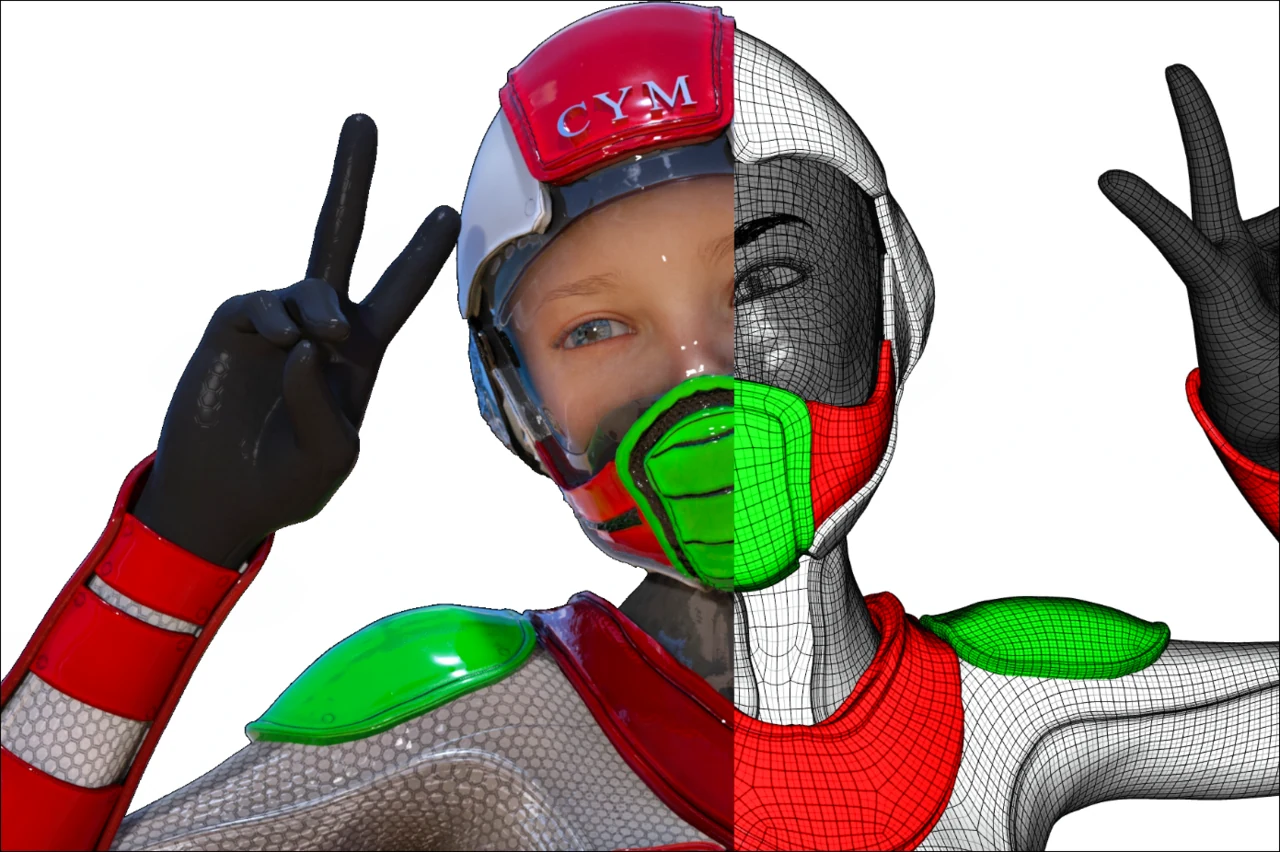
In Blender or ZBrush, sculpting a single human figure from nothing, retopologizing it, unwrapping UVs, rigging the skeleton, and tailoring a shirt takes weeks. Daz Studio pre-packages that labor. Starting in 2011, moving to Genesis 8 in 2017, and evolving into Genesis 9 in October 2022, its figure platform treats every character as a morph of one shared base mesh [3][4]. Because of that shared skeleton and topology, a jacket, pair of boots, hairstyle, or walk pose bought in the store adapts automatically across different Genesis 9 characters.
Bundled free since 2017, the dForce cloth simulation engine lets skirts, cloaks, and hair settle naturally under gravity and wind; once posed, you can render photorealistic frames directly inside the app via the included NVIDIA Iray physically based path tracer (or 3Delight) [4].
First turn: From Poser add-on maker to figure economy
Back in the early 2000s, Daz 3D was the largest independent asset producer in the Poser scene. When it made Daz Studio free in 2012, it cut the legs out from under paid rivals [3]. Today, thousands of independent 3D artists sell garments, hair systems, environments, and pose sets in the Daz marketplace, fueling an ecosystem where illustrators, book-cover designers, and small visual-novel teams can assemble complete scenes from scratch in hours.
Second turn: Daz Bridges into Blender, Unreal, and Unity
There was a time when Daz scenes lived and died inside Daz Studio’s own viewport. Today, official Daz Bridges transfer Genesis figures—along with rigs, morphs, and materials—straight into Maya, Blender, Unreal Engine, Unity, 3ds Max, Cinema 4D, and Roblox [4]. In practice, that lets artists treat Daz as a rapid human-figure and expression library while handling final lighting in Blender Cycles or Unreal Lumen.
Third turn: The “free” label, store spending, and VRAM spikes
Before diving into Daz Studio, three realities deserve a clear look:
- Storefront economics: The program costs nothing, yet beyond a handful of starter bundles, most high-grade hairstyles, outfits, architectural sets, and character morphs are sold individually in the store.
- In-game commercial licensing: Rendering Daz store assets into 2D images, comics, or video is covered under the standard license; however, embedding the 3D meshes themselves inside a commercial video game requires checking and purchasing Daz’s separate Interactive License terms.
- Heavy polygons & GPU memory: Daz figures carry subdivision surfaces (SubD) and stacks of 4K texture maps. Drop four or five clothed Genesis 9 characters into one scene and an 8–12 GB graphics card runs out of VRAM fast—forcing NVIDIA Iray to fall back to sluggish CPU rendering. Game pipelines also require mesh decimation (via Decimator or Blender retopology) before export.
Hardware and performance notes
Daz Studio 6.25 runs on both Windows and macOS [1]. However, GPU acceleration in its built-in NVIDIA Iray renderer works exclusively on NVIDIA CUDA GPUs. Artists on AMD graphics cards or Apple Silicon Macs fall back to CPU mode in Iray—which is why Mac users typically stick to 3Delight or push scenes through the Daz Bridge into Blender Cycles. For comfortable 2026 Iray production, plan for an NVIDIA RTX GPU with at least 12–24 GB of VRAM alongside 32–64 GB of system RAM to hold multi-character texture sets.
Who should choose it—and who should skip it
| Profile | Fit | Why |
|---|---|---|
| Illustrators, comic & visual novel producers | Excellent | Fast posing, anatomy reference, wardrobe swaps, and Iray staging without modeling from zero. |
| Book-cover & concept story designers | Excellent | dForce cloth draping plus effortless Genesis 9 facial expressions and studio lighting. |
| Blender/Unreal scene artists on NVIDIA RTX | Very Good | Rapid background or supporting cast assembly via Daz Bridges (with Interactive License where required). |
| Custom game character & sculpting specialists | Conditional | Bespoke topology and tight polygon budgets still demand Blender plus ZBrush or Substance. |
| Mac (Apple Silicon) users expecting fast Iray | Poor | Iray GPU acceleration depends on CUDA; bridging to Blender is far faster on Mac hardware. |
A quick look at alternatives
| Tool | License model | Where it fits |
|---|---|---|
| Blender | Free / GPL open source | Modeling custom characters from scratch, or optimizing and rendering exported Daz figures. |
| Maxon ZBrush | Subscription ($49/month) | Bespoke anatomical and fantasy digital sculpting instead of pre-built store morphs. |
| Unreal Engine (MetaHuman) | Free / Royalty threshold | Producing real-time high-fidelity human characters for games and virtual production. |
Verdict
Daz Studio 6.25 (6.25.2026.14722) remains an unmatched tool for artists who have no desire to sculpt human anatomy from a cube and would rather spend their hours on lighting, composition, wardrobe, and visual storytelling [1][2]. Genesis 9 consistency, free dForce physics, Daz Bridges, and a zero-dollar entry point make it remarkably easy to test [4].
Still, walking through that free front door means budgeting honestly for the asset store, respecting NVIDIA CUDA hardware limits, and checking topology and Interactive License rules before shipping to a game engine. If you produce 2D illustrations, storyboards, or rapid concept frames, Daz Studio can save you weeks; if you need game-ready custom characters, pair it with a Blender or ZBrush pipeline.
Perhaps the clearest way to understand Daz Studio is this: it is not a sculptor’s workshop—it is an endless photo studio backed by a wardrobe of thousands of interchangeable pieces.
Two questions worth asking yourself before committing today:
- Does your project demand bespoke mesh topology for every character, or is assembling believable human and costume combinations at speed what actually moves your work forward?
- Will your figures stay inside 2D renders and video frames, or will you embed 3D meshes into a game engine where Interactive Licenses and polygon reduction become mandatory?
Sources
Version numbers, corporate history, membership pricing, and technical details above were verified against the following primary references.