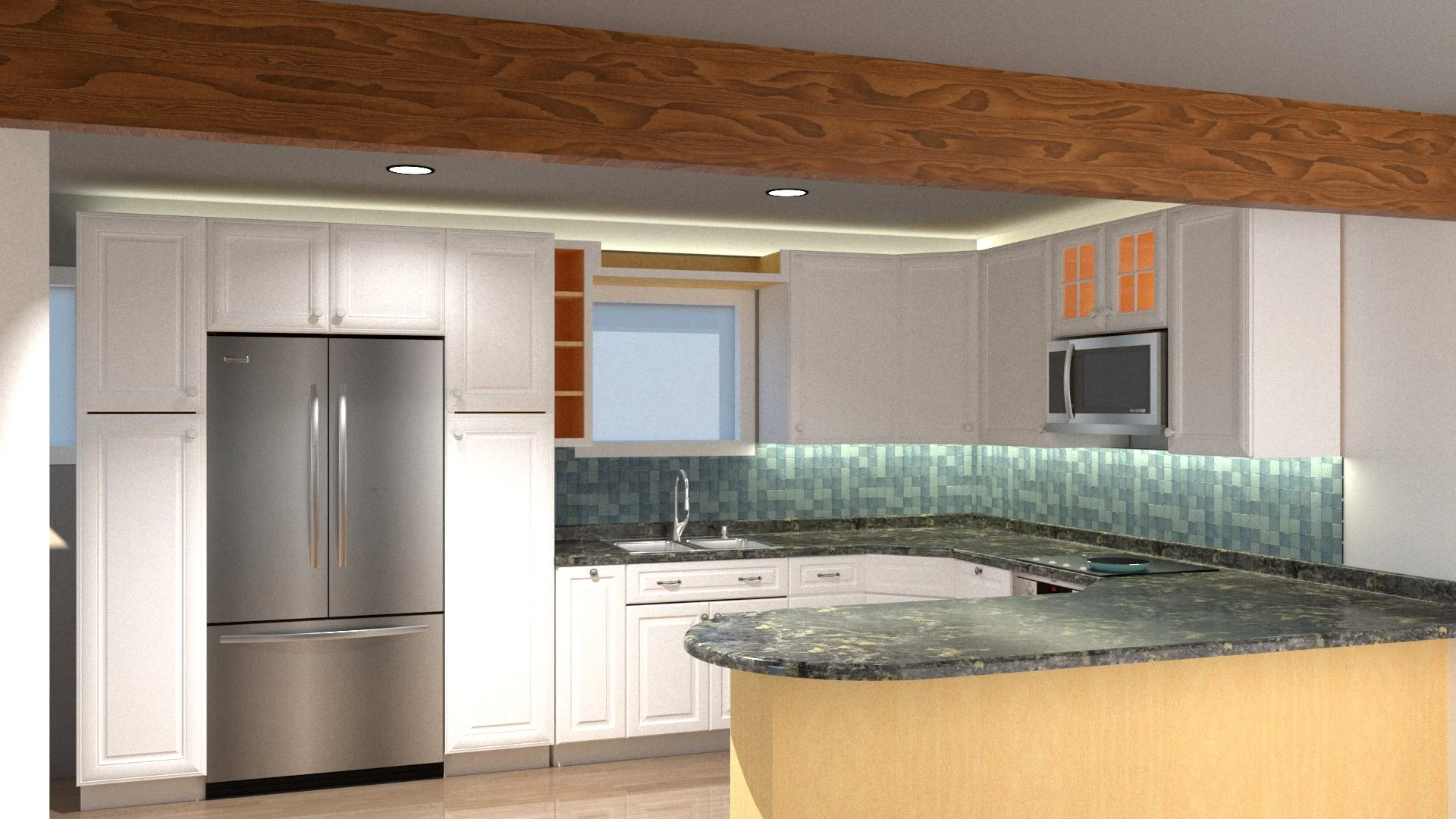






2003, Denmark. Henrik Wann Jensen—the researcher whose work on light simulation and photon mapping would earn a Technical Achievement Award from the Academy of Motion Picture Arts and Sciences in 2004—founded Luxion alongside his brother Claus Jensen [3]. Their software first went to market in 2007 through Bunkspeed under the name HyperShot, before stepping onto the stage under its own banner in early 2010: KeyShot [3]. Released on June 23, 2026, KeyShot Studio 2026.2 (followed by the 2026.2.2 bugfix update on July 31, 2026) finally delivers the Apple Silicon GPU rendering (Beta) Mac users have waited years for, updating the tool’s standing as the fastest virtual product photographer on industrial design desks [1][2].
KeyShot at a Glance
| Current release | KeyShot Studio 2026.2 — June 23, 2026 (2026.2.2 hotfix released July 31, 2026) [1][2] |
| Developer | Luxion (founded in Denmark in 2003; under the KeyShot brand since 2010) [2][3] |
| Pricing | Professional $1,299/year; Business $1,599/year; Education $95/year; VR add-on $1,188/year [1][2] |
| License model | Commercial, subscription-only [1] |
| Platforms | Windows 10+, Windows Server 2019+, macOS 11.7+ (2026.2 adds Apple Silicon GPU Beta) [1][2] |
| File formats | 34+ native CAD importers (CATIA V5/V3D R2026, Parasolid V38.1, UG NX 2512, Rhino, SOLIDWORKS, etc.) + bridges for Maya 2027, Blender, C4D, 3ds Max, SketchUp; optimized glTF/GLB export [1][2] |
| Typical use | Industrial product design, packaging, automotive detailing, retail and e-commerce product catalogs [1][2] |
| Technical highlights | Standalone CPU+GPU path-tracing engine; Material Graph node grouping; Colorway multi-colorway sub-editing; 1,500+ preset materials; built-in AI modes (Restyle, Background, Imagine); physical caustics and GPU Cutaways [1][2] |
What KeyShot Studio 2026.2 changes
Native GPU Rendering on Apple Silicon (Beta): For years, KeyShot’s GPU acceleration was locked exclusively to NVIDIA RTX cards on Windows, leaving Mac-based industrial designers stuck on CPU rendering. With 2026.2, native GPU rendering on Apple Silicon hardware (Beta)—with M3 and newer recommended—arrives to multiply interactive viewport responsiveness across MacBook Pro and Mac Studio workflows [2].
Material Graph Grouping and GPU Cutaways: Material Graph Node Grouping tames sprawling shader trees, while GPU Cutaways ensure cutaway materials for cross-section views behave identically in GPU mode as they do on CPU [2]. Add direct keyframing on the timeline, multi-colorway sub-editing in the Colorway panel, and refreshed CATIA/Parasolid/NX CAD support via Datakit v2026.2, and daily friction drops across the board [2]. Meanwhile, built-in Restyle, Background, and Imagine AI modes let teams spin up quick marketing variations from a single product model.
Product philosophy: A drag-and-drop studio without a DCC
When an engineer exports a pair of headphones from SOLIDWORKS or Rhino into V-Ray or Blender, they first have to deal with tessellation, fix inverted normals, stage a camera, and rig studio lighting. KeyShot was built specifically to erase that intermediate detour: you open more than 34 CAD formats directly [1], drag anodized aluminum or frosted acrylic from the right-hand library straight onto a part, spin an HDRI studio environment, and watch real-time path tracing resolve a catalog frame within seconds.
That is why KeyShot is not a “scene animation suite,” but a virtual product photography studio. For physical glass refraction (caustics), clear liquids, label and packaging placement, and Colorway variant management, it demands far less setup than general-purpose DCC packages.
First turn: From Academy-recognized light science to a real-time studio
Luxion co-founder Henrik Wann Jensen is one of the researchers who reshaped the physics of digital skin and glass refraction in cinema during the 1990s through his work on photon mapping and subsurface scattering (BSSRDF) [3]. When Luxion brought the software back under its own roof after the 2007–2010 Bunkspeed HyperShot era, it distilled that academic light accuracy into the cleanest interface an industrial designer could ask for [2].
Second turn: A steep annual subscription on the maker’s desk
KeyShot has never been a bargain hobbyist utility, and its complete shift to subscriptions raised the cost barrier even higher: Professional runs $1,299/year, Business costs $1,599/year for teams, and the VR presentation add-on tacks on another $1,188/year [1]. While the $95/year education license keeps the door open for students, $1,299 every year is a serious fixed overhead for independent freelancers.
Third turn: CAD strength vs. complex scenes and animation limits
KeyShot breaks speed records on standalone products, watches, consumer electronics, furniture, and medical devices, yet hits clear walls as scene complexity scales up. Character animation, cloth or fluid simulation, and sprawling outdoor environments packed with hundreds of trees are not KeyShot territory; for intricate cinematic lighting rigs and multi-pass compositing, V-Ray or Arnold remain far more flexible.
Hardware and performance notes
KeyShot Studio 2026.2 runs on Windows 10+, Windows Server 2019+, and macOS 11.7+ [1][2]. It supports both CPU path tracing (scaling linearly across all available cores) and GPU modes via NVIDIA RTX on Windows or, starting in 2026.2, Apple Silicon GPU on macOS (M3+ recommended, Beta) [2]. Because heavy CAD assemblies consume substantial VRAM and system memory, 32–64 GB of RAM and at least 12–16 GB of VRAM (or 32 GB+ unified memory on Apple Silicon) are recommended for smooth production work.
Who should choose it—and who should look elsewhere
| Profile | Fit | Reasoning |
|---|---|---|
| Industrial designer & CAD engineer | Excellent | 34+ native CAD formats, zero-DCC material assignment, and accurate physical caustics. |
| E-commerce / retail CMF team | Excellent | Colorway multi-variant sub-editing, AI Background/Restyle modes, and packaging visuals. |
| Apple Silicon (M3/M4 Mac) product studio | Very Good | Apple GPU Beta in 2026.2 closes the speed gap that long held back Mac workstations. |
| Generalist 3D modeler / budget-sensitive user | Conditional | The $1,299/year subscription is steep, and there is no polygon or NURBS modeling inside. |
| Architectural exteriors or film VFX / characters | Poor | Large environments and complex character animation call for Lumion, V-Ray, or Maya/Unreal. |
A quick look at alternatives
| Tool | License model | Where it fits |
|---|---|---|
| Blender (Cycles) | Free / GPL open source | Zero-license product rendering and animation via STEP/OBJ conversion. |
| Chaos V-Ray | Subscription (€474/year Solo) | Full studio control inside Rhino, 3ds Max, or C4D at a lower annual cost. |
| Rhino 3D | Perpetual ($995) | Industrial NURBS modeling plus built-in Cycles-based rendering on a one-time license. |
| Autodesk Fusion | Subscription (Free Personal tier) | Basic integrated product visualization inside the same workspace as CAD design. |
| Cinema 4D + Redshift | Subscription ($109/month+) | Adding advanced motion graphics, liquid splashes, and commercial animation to products. |
Verdict
KeyShot Studio 2026.2 remains the lowest-friction bridge between CAD engineering and marketing imagery. Adding Apple Silicon GPU Beta support, Material Graph node grouping, and GPU Cutaways closes major platform gaps [2].
Starting at $1,299/year, it does not belong on every designer’s desk—but in manufacturing, jewelry, consumer electronics, and packaging departments where an engineer’s hourly rate dwarfs the software fee, KeyShot’s speed advantage is still hard to dispute.
Perhaps KeyShot’s real secret is not that it understands light better than everyone else, but that it lets an engineer move a raw CAD file into studio lighting in ten minutes without converting it through another program.
Two questions to ask yourself before deciding today:
- Does your team genuinely need to open SOLIDWORKS/CATIA/NX files directly and turn around dozens of CMF variants in a single day, or can a handful of weekly product renders live comfortably inside Blender or Rhino/V-Ray?
- Alongside the $1,299–$1,599/year subscription, does your workload justify investing in an Apple Silicon M3+ Mac or NVIDIA RTX GPU workstation?
Sources
The release, history, pricing, CAD support, and 2026.2 feature details above are verified against the primary sources listed below.