May 2008: One Sentence, Twelve Years Before Free
May 2008. Siemens PLM Software introduced Solid Edge ST. The message was narrow and technical: edit geometry without rebuilding the design history. Some engineers in the room heard an interface trick. Others turned to colleagues who had spent entire afternoons repairing broken feature trees and smiled.
That year, a Solid Edge licence still sat inside enterprise purchasing negotiations. A Community Edition did not exist. The free tier arrived only in 2020, when Siemens opened the door to makers and hobby users [8]. That date produced one of the strangest tensions in desktop CAD: an industrial kernel walked into a home workshop, but the file could not walk back into the factory.
Solid Edge Community Edition is a free, non-commercial desktop 3D CAD edition built on Siemens’ Parasolid kernel and shipped with Synchronous Technology. As of 7 November 2026, the official download page lists it as “Designcenter Solid Edge Community Edition”: price 0 USD, scope personal use, commercial use closed [1]. The same page states that files produced in this edition cannot be opened in commercial Solid Edge seats and that 2D drawings carry a watermark [1].
Solid Edge Community Edition at a Glance
| Developer | Siemens Digital Industries Software (Germany) [1] |
|---|---|
| Geometric Kernel | Siemens Parasolid (B-Rep boundary representation, analytical surfaces, tolerance handling) [3][8] |
| Current Release (7 Nov 2026) | Designcenter Solid Edge 2026; version 2027 launches on 18 November 2026 [4][7] |
| Community Price | 0 USD; personal use only, commercial use prohibited [1] |
| Commercial Entry Price | Designcenter Solid Edge Design and Drafting: annual subscription starting at USD 99.74/month (store price, 7 Nov 2026) [5] |
| File Boundary | Files produced in Community cannot be opened in commercial versions; 2D drawings are watermarked; parts and assemblies can be 3D printed [1] |
| Platform | Windows 10/11 Pro or Enterprise, 64-bit only; Windows Home is not supported [2] |
| Hardware (Official) | Minimum 16 GB RAM (commercial), 32 GB recommended; 12 GB disk; 1920×1080; 2 GB video RAM recommended [2] |
| Notable Modules | Part, assembly, sheet metal, automated drafting, exploded views, animation, rendering and simulation [1] |
| Best Fit | Makers, hobby users, CAD enthusiasts, design challenge competitors [1] |
First Turn: Free, But Not Free Software
One word needs separating here. Community Edition is free of charge; it is not free software. The source is closed, the licence is proprietary, and the permitted purpose is narrowed by contract. Siemens states it without decoration: the edition is intended for personal use and may not be used for commercial purposes [1].
On paper, that sounds simple. In a workshop, it shapes the whole workflow. Suppose you model a shelf bracket and sell it online. When you send the part to a laser-cutting shop, the licensing status of the STEP file you hand over becomes a separate question. Siemens explicitly permits 3D printing; it does not make an equally explicit promise about STEP export [1]. Before money enters the picture, test the exact file path on your own machine. Do not trust a forum comment. Trust your own output.
The harder boundary sits inside the file itself. A part produced in Community Edition will not open in a commercial Solid Edge seat [1]. That makes the common plan — “start free, switch to commercial later” — more expensive than it looks. The reverse direction works: a commercial file can be opened in Community. The Community-to-commercial direction is a one-way door. Let that door be the motif of this review: a single STEP file. The same geometry means two different things in two different worlds.
Second Turn: What Synchronous Technology Actually Solves
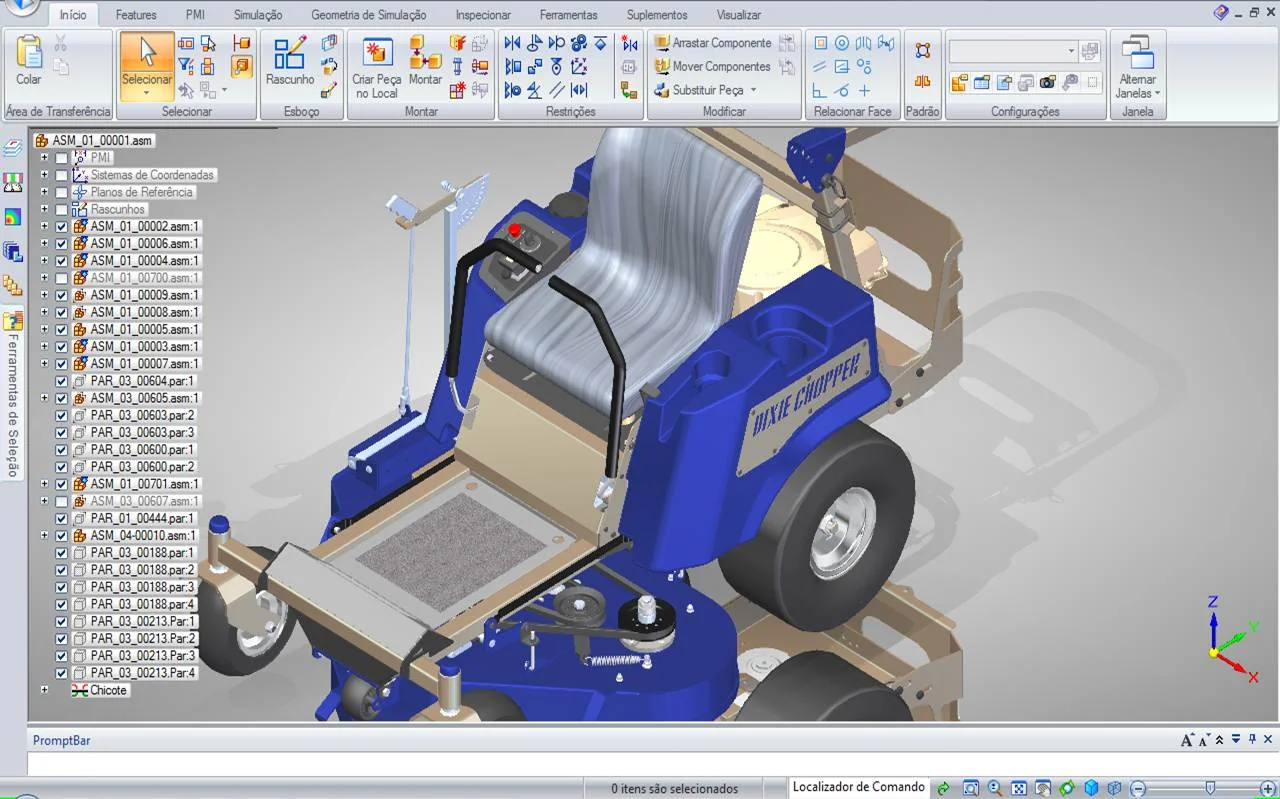
The marketing line for Synchronous Technology is “faster modelling”. The real benefit sits elsewhere: editing foreign geometry as if it were native. Siemens describes opening a file from another 3D CAD system and editing it just as easily as a native model — dragging features and changing dimensions on the fly [3]. Solid Edge attempts to recognise design intent even in a model with no history tree [8].
Sheet metal makes the advantage concrete. Solid Edge ST2 added sheet metal design and recognition of bends in imported sheet metal parts [8]. The 2026 release adds integrated tab and slot commands, multi-edge flange trimming and wall thickness tools [6]. A typical path to a laser-cutting shop looks like this: flat sheet, bend lines, K-factor, flat pattern. Solid Edge keeps that chain inside one model, but the accuracy of the flat pattern still depends on the real material and the correct bend parameters. The software does not know the press brake in your workshop.
Honesty matters here. Synchronous Technology is not magic. Import a messy STEP file with broken topology and surfaces may fail to stitch; trimming and sewing operations follow. Edit a history-free model and the software’s interpretation of design intent will not always match yours. In the first hour you think “this is effortless”. In the third week you ask “why did it choose that face instead of mine?” That question is the real learning curve.
Parasolid Precision: Worlds Sharing One Kernel
Solid Edge runs on Parasolid. Siemens owns the kernel; it powers NX and is licensed by more than 200 independent software vendors, including Onshape [3][12]. The practical meaning is straightforward: B-Rep faces, fillets and tolerance chains are represented in the same mathematical language. A cylindrical face in a STEP file arrives in Solid Edge as an analytical cylinder, not an approximate mesh. That matters for dimensioning and manufacturing tolerance.
Sharing a kernel is not the same as flawless translation. STEP carries geometry plus a producer’s modelling choices and tolerances. Different CAD systems may split the same surface in different ways. Synchronous Technology helps manage those differences; it does not erase them. Before releasing a critical part, check sections, mass and bounding box. Do not assume a model is production-ready because it looks right on screen.
Platform and Hardware: A Workshop Locked to Windows
Community Edition is tied to Windows. The official system requirements list Windows 10 or Windows 11 Pro/Enterprise, 64-bit only; Windows Home is not supported [2]. There is no native macOS or Linux build. For a maker running Linux in the workshop, that is the first real obstacle.
The RAM table needs interpretation. Siemens lists 16 GB minimum for commercial users and 8 GB for academic users, with 32 GB recommended [2]. Community is neither commercial nor academic, so the safe reading is 16 GB as the floor and 32 GB as the target. The same page lists 12 GB of disk space, a 1920×1080 display and 2 GB of recommended video RAM [2]. Large assemblies often care more about single-core clock speed and NVMe storage than about the GPU; for sheet metal and mid-sized assemblies, 16 GB and a clean driver are a reasonable start.
Learning Curve: Easy in Week One, Disciplined by Week Three
To someone arriving from Fusion 360 or Tinkercad, the Solid Edge interface looks crowded. Ribbon tabs, command bars, the “Ordered” and “Synchronous” split. Week one usually goes like this: a few tutorials, a few successful extrusions, a feeling of completion. Week three brings assembly constraints, sheet metal flat patterns and drawing templates. That is where the actual learning begins.
The official user community is the most practical support channel [11].
The healthiest route for a beginner is one part family. A bench vice, a shelf bracket, a lamp clamp. Model the same part once in Ordered and once in Synchronous. See where each approach wins. Synchronous shines in fast concept work and foreign geometry; Ordered keeps manufacturing parameters and design intent more predictable. Solid Edge lets you mix both in one file, but a mixed workflow without discipline turns into a messy tree.
Who It Fits, Who It Does Not
| Profile | Fit | Reason |
|---|---|---|
| Maker prototyping in a home workshop | Strong fit | Parts, assemblies, sheet metal and 3D print output in one tool at zero cost [1] |
| Hobby user learning an industrial CAD workflow | Good fit | Real Synchronous Technology and Parasolid experience; free training material [1] |
| Small manufacturer selling a product | Not suitable | Commercial use is prohibited; files do not open in commercial seats [1] |
| Mac or Linux user | Not suitable | Native build is Windows only; Home edition unsupported [2] |
| Distributed team working concurrently in the cloud | Limited | Desktop-first; cloud collaboration requires commercial cloud editions [5] |
A Short Comparison With Alternatives
| Software | Licence / Cost | Platform | Strength | Weakness |
|---|---|---|---|---|
| Solid Edge Community | Free, personal use [1] | Windows | Synchronous Technology, sheet metal, Parasolid | File lock, commercial ban, Windows dependency |
| FreeCAD | Open source, free [10] | Windows, macOS, Linux | Licence freedom, Python extension, STEP/IGES | Steeper learning curve, less consistent interface |
| Onshape Free | Free, non-commercial and public projects [9] | Browser (PC, Mac, Linux, mobile) | Cloud, PDM, access from any device | Projects are public; internet required |
| Solid Edge commercial | Subscription from USD 99.74/month [5] | Windows; X edition is cloud-based | Commercial rights, file compatibility, support | Cost, subscription management |
Commercial Use in 2026: A Short Checklist
As of 7 November 2026, the official wording is clear: Community Edition is intended for personal use and may not be used for commercial purposes [1]. The edge of “commercial” can vary by jurisdiction, but three questions resolve most cases:
- Are you selling the part or design you produced? If yes, Community is outside scope.
- Are you modelling it as a professional service for a client, even without a direct fee? If yes, commercial scope is a risk.
- Are you sending the file to a supplier for manufacturing? That may be the first link in a chain that leaves personal use behind.
If any answer is yes, there are two clean routes: move to a commercial subscription or move to an open-source tool. A third route — concept in Community, remodel elsewhere for production — usually means doing the work twice because of the file lock [1].
Conclusion: The Price of Zero Dollars
Solid Edge Community Edition is genuinely generous to a maker. Parasolid precision, Synchronous Technology and a sheet metal module open an industrial workflow inside a home workshop. In exchange, the free edition is surrounded by a wall that closes the file off from the commercial world. That wall is not a bug; it is the licence model itself.
Carry two questions into the decision:
- Do you plan to sell this part, or will it stay inside your own workshop?
- Must this file still open ten years from now, or is today’s prototype enough?
Your answer decides where a journey that starts at $0 actually ends. The rest depends on the discipline of your workshop.
Sources and Verification
Version, licence, price and hardware claims in this review were checked against sources accessed on 7 November 2026:
- Siemens Digital Industries Software — Designcenter Solid Edge Community Edition download page (personal use, commercial ban, file and watermark limits) — resources.sw.siemens.com
- Siemens Digital Industries Software — Solid Edge 2026 system requirements (Windows editions, RAM, disk, display) — solidedge.siemens.com/system-requirements
- Siemens Digital Industries Software — Synchronous Technology and editing imported geometry — solidedge.siemens.com/synchronous-technology
- Siemens Blog — “Everything you need to know about Designcenter Solid Edge 2027, launching November 18” (15 October 2026) — blogs.sw.siemens.com/solidedge
- Siemens Online Store — Designcenter Solid Edge subscription prices (as of 7 November 2026) — dex.siemens.com/plm/solid-edge
- DEVELOP3D — “AI and cloud enhancements added for Designcenter Solid Edge” (12 November 2025) — develop3d.com
- DEVELOP3D — “Q&A: Designcenter Solid Edge 2026” (19 January 2026) — develop3d.com
- Wikipedia — Solid Edge (Intergraph heritage, Parasolid move, Synchronous Technology, ST2 sheet metal, Community Edition 2020) — en.wikipedia.org/wiki/Solid_Edge
- Onshape — Free Plan (non-commercial, public projects) — onshape.com/products/free
- FreeCAD — Official site (open source, cross-platform, STEP/IGES) — freecad.org
- Siemens Community Forum — Designcenter Solid Edge user community — community.sw.siemens.com
- Siemens Digital Industries Software — Parasolid 3D geometric modeler (more than 200 independent software vendors, Onshape, 350+ XT applications) — plm.automation.siemens.com/parasolid