Opening: 31 January 2021, and the Years After
31 January 2021. OpenSCAD 2021.01 was released. The changelog listed function literals, the ^ exponent operator, multi-tab editing and autocomplete. It looked like an ordinary maintenance milestone.
More than five years later, the official GitHub release page still names 2021.01 as the latest stable release. Does that mean the project stopped? No. Development snapshots continue, and the new Manifold geometry engine ships through that channel. OpenSCAD survives not through its version number but through the files it produces.
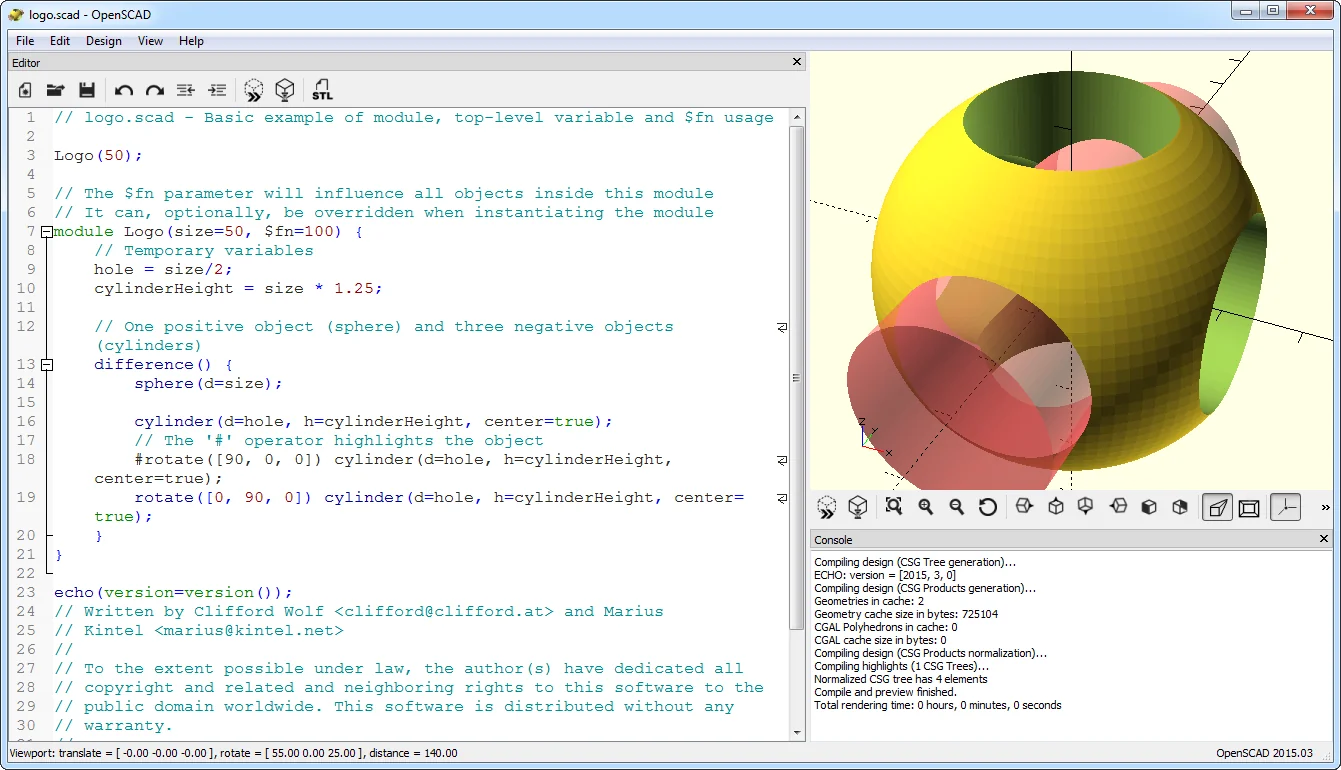
OpenSCAD is a free, open-source solid 3D CAD modeler that defines geometry through a scripting language. You do not drag a face across the screen. You describe primitives such as cubes, cylinders and spheres, combine or subtract them with Boolean operations, and extrude two-dimensional profiles into the third dimension. The model is a text file; its dimensions live in variables. That is why OpenSCAD behaves less like a drawing application and more like a 3D compiler [1][5].
OpenSCAD at a Glance
| Developer | Marius Kintel and the open-source community [1][7] |
|---|---|
| First Release | 19 February 2010 [7] |
| Latest Stable Release | 2021.01 (31 January 2021); development snapshots are distributed separately [2][4][7] |
| License | GPL-2.0-or-later, with a special exception for linking against CGAL [1][7][10] |
| Written In | C++ and Qt; the interface uses Qt, preview uses OpenCSG/OpenGL [1][7] |
| Geometry Kernel | CGAL in the stable release; an optional Manifold engine in development builds [1][3][7] |
| Platforms | Windows, macOS, Linux; plus FreeBSD, NetBSD and OpenBSD packages [3][7] |
| File Formats | Import: STL, 3MF, OFF, AMF, DXF, SVG. Export: STL, 3MF, OFF, AMF, DXF, SVG, PNG, PDF [5][7] |
| Price | Free; no license fee, subscription or user quota [1] |
Definition: When Code Becomes a Solid
In OpenSCAD, a model is not a scene you paint with a mouse. It is a compilation output. The script is parsed, variables are resolved, modules are called, and a solid body tree is produced. That tree is evaluated through constructive solid geometry: union joins, difference subtracts, intersection keeps the overlap. hull wraps two shapes in a convex envelope; minkowski inflates one body with another. Two-dimensional square, circle and polygon profiles become solids through linear_extrude or rotate_extrude [1][5].
The practical consequence is that the design belongs in version control. A .scad file is plain text: it can be diffed line by line, branched, reviewed and merged. Most CAD files cannot do that. This is also why OpenSCAD has been recommended for open-source scientific hardware and reproducible research [7].
First Turn: Preview Is Fast, Render Is Honest
This is the most misunderstood part of OpenSCAD. What you see on screen is not always the real geometry.
Preview (F5) uses OpenCSG and OpenGL. It produces a fast image through z-buffering, but it is an approximation. You may see z-fighting or tiny visual gaps. Render (F6) uses CGAL to evaluate exact geometry and produces a fully tessellated mesh. There is no approximation anymore; the price is time. A simple part finishes in seconds, while a large design with many Boolean operations and Minkowski sums can take minutes or even hours [5].
A good workflow is therefore not “rough preview, then precise render”. It is to split geometry into small, readable modules, avoid unnecessary Boolean layers, and choose $fn together with $fa/$fs deliberately. More polygons are not automatically better; a more accurate cylinder is a longer render.
Motif: the 2 mm wall. A wall thickness is where an engineering decision touches both the design intent and the reality of printing. In OpenSCAD you keep that 2 mm in one variable; the whole part stays tied to that number.
CSG Logic: One Number, the Whole Part
The example below describes a parametric mounting bracket. When wall moves from 2 mm to 3 mm, the base plate, the vertical wall and the material around the screw holes all change together. You do not update three separate drawings.
// Parametric L-bracket
$fn = 64;

wall        = 2.0;   // motif: the 2 mm wall
base_w      = 60;
base_d      = 40;
upright_h   = 35;
hole_d      = 4.4;   // clearance for an M4 screw
hole_inset  = 12;

module bracket() {
    difference() {
        union() {
            // base plate
            cube([base_w, base_d, wall]);
            // upright wall
            cube([base_w, wall, upright_h]);
            // corner gussets
            for (x = [hole_inset, base_w - hole_inset]) {
                translate([x, wall, wall])
                    rotate([0, -45, 0])
                        cube([wall, base_d - wall, wall]);
            }
        }
        // base holes
        for (x = [hole_inset, base_w - hole_inset]) {
            translate([x, base_d - hole_inset, -1])
                cylinder(d = hole_d, h = wall + 2);
        }
        // upright holes
        for (x = [hole_inset, base_w - hole_inset]) {
            translate([x, -1, upright_h - hole_inset])
                rotate([-90, 0, 0])
                    cylinder(d = hole_d, h = wall + 2);
        }
    }
}

bracket();
Notice what the code does not do: it does not draw a picture. It states the rules of a solid body. The second block inside difference is not a hole; it is the volume to be removed. OpenSCAD evaluates that volume, subtracts it from the main body, and tessellates what remains. You do not drag the model larger; you change the number.
Second Turn: CGAL’s Exactness and Manifold’s Speed
The stable release relies on CGAL. CGAL is known for exact results in computational geometry, which is reassuring with nested solids and thin tolerances. The cost is computational weight. CGAL has its own license, and a special exception added to OpenSCAD’s GPL text makes linking against it possible [1][10].
The newer Manifold engine strikes a different balance. The official download page says Manifold can be enabled in preferences in development snapshots and offers “a huge performance boost” [3]. In January 2025 the project announced Manifold-based colored 3MF and OFF export, an important step for the multi-color printing ecosystem [9]. Those features are not in stable 2021.01, however; they live in the development channel. If you run a production line, choose the stable build first. If you want experimental speed, choose a snapshot. Do not treat them as the same thing.
Honesty matters here: OpenSCAD’s render time depends less on raw polygon count than on the number of Boolean nodes and the operations involved. minkowski is expensive; long chains of nested difference are expensive; a very high $fn is expensive. Conversely, freezing a precomputed submodule with render() or splitting geometry into parts often saves seconds.
Parametric Libraries: Do Not Rewrite the Wheel
The core language is small; the power comes from libraries. MCAD has shipped with the application since release 2011.12 [4]. BOSL2 (Belfry OpenSCAD Library) offers a broad toolset for gears, hinges, screws, bearings and attachment points; Hackaday’s 2025 review highlights its “attachment” system for mating standard parts [11]. Libraries such as NopSCADlib bring real-world screw, nut, washer and aluminium extrusion dimensions into the model [12].
3Dnatives raises a fair criticism, though: OpenSCAD lacks a mature package manager, and its tutorials and error messages are not always clear enough for non-programmers [8]. Installing a library often means downloading a file and placing it on OPENSCADPATH. That is natural for people raised on Linux culture and rough for newcomers.
Thingiverse Customizer: When Code Becomes an Interface
OpenSCAD is most visible in 3D printing. The Customizer, introduced with release 2019.05, turns script variables into an automatic form interface [6]. A designer writes comments such as // [0:100] for a slider, /* [Tab] */ for tabs and /* [Hidden] */ for hidden variables. The user changes a dimension without seeing code; behind the scenes the same .scad file is compiled again.
Thingiverse compatibility turns this into an engineering constraint. According to the Wikibooks documentation, the Customizer only exposes variables defined in the main file with simple literal values or vectors of up to four numbers; expressions such as str() or 12 + 0.5 are not offered as parameters. Checkboxes are not supported by Thingiverse, while the “slider with maximum value” syntax is kept specifically for compatibility [6].
Official OpenSCAD news notes that Thingiverse metadata syntax was supported in 2016, and that by 2022 the Thingiverse Customizer had been broken “for a long time”, with MakeWithTech launching an alternative online service [2]. The lesson: Customizer compatibility is not magic. It is a contract embedded in comments. The same file that works on the desktop can time out in a browser; for complex scripts, local rendering remains the reliable path.
Platform Support and Installation Realities
OpenSCAD runs on Windows, macOS and Linux, and also on the BSD family. The stable release lists Windows 7 and newer on 32/64-bit and macOS 10.9 and newer; release candidates target Windows 10+ 64-bit and macOS 12+ as a universal build [3]. On Linux there are AppImage, distribution repositories, Snap and Flatpak options. Wikipedia lists the installed size at 15–27 MB depending on platform [7].
A WebAssembly build also exists, but the official download page is explicit that it is experimental and lacks preview, fonts and a built-in interface [3]. In other words, “I opened OpenSCAD in a browser” is not a substitute for the desktop build. Command-line export with openscad -o part.stl part.scad is what makes it valuable in CI pipelines and batch production scripts [2][5].
The Learning Curve: Steep for Some, Natural for Others
The learning curve is not one line. For someone who already programs, variables, modules, loops and conditionals are familiar; a meaningful part can come out within the first hour. For a visual designer, the habit of grabbing and pulling is switched off completely. 3Dnatives considers the software suitable for “experienced users who are comfortable with programming” and says the learning curve remains quite steep, with tutorials and error messages that could be better [8].
A practical route: start with cube, cylinder, translate and difference. In the second step, write a module. In the third, use a for loop to produce repeated holes. Only then move to libraries. 3Dnatives makes a similar suggestion: try a block-based tool such as BlocksCAD first so the CSG logic sinks in before the syntax does [8].
Who It Is For, and Who It Is Not For
Good fit: mechanical brackets, connectors, flanges, adapters, sensor mounts, enclosures, mounting plates, gear and belt systems, laboratory hardware, and families of repeated parametric parts. If you need “the same part in twelve sizes”, OpenSCAD’s variable model is cleaner than maintaining twelve files. For open-hardware projects, sharing the source text is a major advantage.
Poor fit: organic modeling, character sculpture, soft-surface furniture, concept art, hair and cloth simulation, direct mesh editing, large machine assemblies driven by mates, and drawing/BOM production. OpenSCAD is a solid-model compiler, not a sculpting lathe. For organic forms, Blender is the better tool; for parametric surfaces and assemblies, FreeCAD or Fusion 360 fit better.
Another limit: there is no STEP or IGES export. The stable release outputs mesh formats such as STL, 3MF and OFF. If you must deliver B-Rep directly into a supply chain, OpenSCAD alone is not enough [5][7].
Short Comparison with Alternatives
| Tool | Approach | Where It Wins | Cost Compared with OpenSCAD |
|---|---|---|---|
| OpenSCAD | Script + CSG | Parametric parts, version control, batch production | Weak organic form and visual feedback |
| FreeCAD | Visual + Python, OCCT | Parametric solids, assemblies, drawings, STEP | Heavier interface, looser scripting discipline |
| Blender | Mesh + sculpting | Organic form, art, animation | Weak for dimensioned engineering parts |
| CadQuery | Python + OCCT | Python ecosystem, B-Rep, automation | Higher setup and language dependency |
| OpenJSCAD | JavaScript + CSG | Quick browser experiments, web integration | Narrower desktop and library ecosystem |
| Autodesk Fusion 360 | Cloud + visual parametric | Assemblies, CAM, simulation, education | Subscription, cloud dependency, license limits |
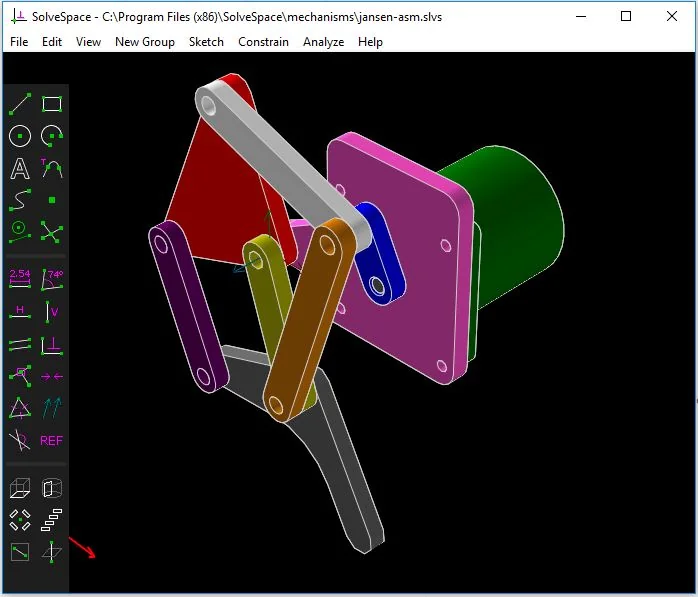
| SolveSpace | Constraint-based 2D/3D | Rapid interactive constraints, mechanism linkage simulation | Free & open source; limited 3D fillets and complex curves |
| SolveSpace | Constraint-based 2D/3D | Rapid interactive constraints, mechanism linkage simulation | Free & open source; limited 3D fillets and complex curves |
Decision Support Matrix
| Profile | Is OpenSCAD a Fit? | Why | |
|---|---|---|---|
| Programmer / maker | Yes | Variables, modules and loops are familiar; results come quickly | |
| Mechanical engineer | Conditional | Strong for parts; FreeCAD or Fusion are better for assemblies and drawings | |
| Industrial designer | No | Organic surfaces, sketching and visual feedback are missing | |
| Educator | Yes | Makes CSG, coordinates and parameters concrete; free and portable | |
| Researcher | Yes | Text-based, reproducible, ideal for open hardware | |
| SolveSpace | Constraint-based 2D/3D | Rapid interactive constraints, mechanism linkage simulation | Free & open source; limited 3D fillets and complex curves |
| SolveSpace | Constraint-based 2D/3D | Rapid interactive constraints, mechanism linkage simulation | Free & open source; limited 3D fillets and complex curves |
Conclusion: The Dimension Lives in the Line
OpenSCAD turns 3D modeling from a drawing skill into a discipline of definition. The beauty of the model is not in the shading on screen; it is in how honest the line wall = 2.0 is. When you need the same part in three sizes, changing one variable instead of opening three files is the real promise of the tool.
Every promise has a boundary, though: OpenSCAD does not solve organic form, assembly mates or B-Rep delivery. Treat it not as a CAD tool that does everything, but as a compiler for parts whose dimensions are already defined.
Two questions before you decide:
- Does the value of your design sit in the beauty of its surface, or in the reproducibility of its dimensions?
- Can everyone on your team read and change a
.scadfile, or is a visual interface more realistic?
Sources and Verification
Version, license, platform and feature claims in this review were verified on 7 November 2026 against the following sources:
- OpenSCAD Official — About: license, Qt/CGAL/OpenCSG and CSG approach — openscad.org/about.html
- OpenSCAD Official — News: 2021.01 release, Customizer and Thingiverse notes — openscad.org/news.html
- OpenSCAD Official — Downloads: platforms, release candidates and Manifold engine — openscad.org/downloads.html
- OpenSCAD GitHub — Releases: 2021.01 and release history — github.com/openscad/openscad/releases
- Wikibooks — OpenSCAD User Manual: preview/render split and CGAL — en.wikibooks.org/wiki/OpenSCAD_User_Manual
- Wikibooks — OpenSCAD Customizer: parameter syntax and Thingiverse compatibility — en.wikibooks.org/wiki/OpenSCAD_User_Manual/Customizer
- Wikipedia — OpenSCAD: GPL-2.0-or-later, platforms and Manifold — en.wikipedia.org/wiki/OpenSCAD
- 3Dnatives — OpenSCAD, the Free and Open-Source 3D Modeler (10 June 2024) — 3dnatives.com
- Fabbaloo — OpenSCAD Embraces Multicolor 3D Design with New Geometry Engine (8 January 2025) — fabbaloo.com
- OpenSCAD GitHub — COPYING: GPLv2 text and CGAL linking exception — github.com/openscad/openscad/blob/master/COPYING
- Hackaday — Belfry OpenSCAD Library (BOSL2) (18 February 2025) — hackaday.com
- Hackaday — Try NopSCADlib for Your Next OpenSCAD Project (15 June 2019) — hackaday.com