Introduction: 16 December 1983, 00:10:31 UTC
One of the oldest timestamps in any public version-control system. BRL-CAD’s repository is cited as one of the rare public codebases still under active development that reaches this far back [1][9].

But the motif of this review is not a date. It is a simpler question: does your model have an interior?
Most modern CAD programs describe surfaces. They manage the outer shell of a body, its edges, faces and how those faces join. BRL-CAD was written from the start to describe volume. Solids are built by combining primitives with union, difference and intersection; every region carries a material and a density [1][6].
BRL-CAD is an open-source solid modeling system with roots in the U.S. Army Research Laboratory (ARL). It began in 1979 at the Ballistic Research Laboratory under Mike Muuss; development as a unified package started in 1983, the first public release came in 1984, and it became open source on 21 December 2004 [1][9].
This review tries to separate what a forty-seven-year engineering legacy is good for today from what it is not.
BRL-CAD at a Glance
| Developer | Rooted in the U.S. Army Research Laboratory (ARL); maintained by an open-source community [1][8] |
|---|---|
| History | 1979 start; unified package 1983; first public release 1984; open source 21 December 2004 [1] |
| Current Release | 7.46.0 — 12 October 2026 (source only); 7.44.0 macOS binary 23 July 2026; 7.42.2 Windows binary 13 March 2026 [2][3] |
| Licence | LGPL as a unified work; separate components under BSD or public domain; documentation under BDL [8] |
| Language / Kernel | C, C++, Tcl; hybrid CSG + B-Rep kernel [1][9] |
| Platforms | BSD, Linux, Solaris, macOS and Windows; source builds [1][9] |
| Interface | MGED: Tcl/Tk, command line and menus; Archer: Qt-based next-generation editor [5] |
| Analysis | GQA and rtweight for volume, mass, centroid and moments of inertia; NIRT for ray paths; overlap and gap checks [6][7] |
| File / Conversion | Native `.g` database; STEP, IGES, JT, OBJ, STL and OpenSCAD CSG conversion (7.46) [3] |
| Size | 7.46.0 source archive 136.1 MB (gz); 7.42.2 Windows installer 106.0 MB; 7.44.0 macOS DMG 186.6 MB [2] |
First Turn: Not Forty, Forty-Seven
“Forty years of U.S. Army heritage” sounds right, but the number is short.
BRL-CAD’s architecture began in 1979. Unified development started in 1983, and the first public release came in 1984 [1]. By 2026, forty-seven years have passed since the start. For software, that is almost geological. And the project still ships: 7.46.0 was published on 12 October 2026 [3].
The more striking claim is this: the BRL-CAD repository, with a record reaching back to 1983-12-16 00:10:31 UTC, is presented as the oldest public version-controlled codebase still under active development [1]. That is the project’s own claim, not an absolute truth; but the claim itself points to an unusual continuity.
Continuity has a cost. Forty-seven years of accumulated features, commands and documentation turn into a sea of information for a new user. The official site admits it in the text of its own logo competition: “With our steep learning curve, though, it’s definitely not for pansies nor recommended if you’re a newbie” [1]. A CAD project writing that in its own promotional copy is rare.
Second Turn: The Licence Is Not “BSD/LGPL”, It Is Finer Than That
Short descriptions usually call BRL-CAD’s licence “BSD/LGPL”. The reality is layered.
The project’s COPYING file is explicit: as a unified work, BRL-CAD is made available under the GNU Lesser General Public License (LGPL). Parts organised as separate components carry different licences, including BSD and public domain. Most documentation is under the BSD Documentation License (BDL) or public domain [8].
Copyright matters too: most of the source is copyright the United States Government as represented by the U.S. Army Research Laboratory [8]. That explains why the project has survived so long in defence work. A government institution can control the source and the licence regime of its own analysis tool.
The practical consequence: if you use BRL-CAD libraries in a commercial product, the question “BSD or LGPL?” does not close with one answer. You have to look at which component, file and document you are using [8]. That is a week of legal work; it is also where the flexibility comes from.
Third Turn: Volume Analysis Is Not “Analytic”, It Is Ray Sampling
The most frequently misdescribed part of BRL-CAD is its volume and mass calculation.
Short descriptions say “analytic volume/mass”. The program’s own manual says something else: GQA fires grids of rays from the three axis-aligned directions. For volume and weight, the results from the three views are compared and the grid is progressively refined until they agree within a user-specified tolerance, or a refinement limit is reached [6]. rtweight works the same way: it combines the line-of-sight thickness of each region with material density to compute volume, mass and the overall centroid [7].
So this is not a closed-form analytic solution. It is a numerical volume integral. The result depends on grid density and tolerance. The manual says so plainly: if there are overlaps or other geometry errors, the reported values are invalid [6].
That distinction also explains why the tool works in military analysis. In an armour model, the question “how many kilograms of steel are there?” does not come from surface area. It comes from volume and density. A CSG model defines the interior and the material of every region, so it can answer that question through ray tracing [6][7].
GQA’s output goes further: centroids, moments of inertia, overlaps, exposed air, gaps and adjacent air regions are reported as well [6]. This is where BRL-CAD’s value as an analysis tool really sits.
Fourth Layer: MGED, CSG and the Solid Interior
The heart of BRL-CAD is MGED: the “Multi-Device Geometry Editor”. It is a Tcl/Tk environment with both command line and menus, wireframe display and integrated ray tracing [5].
Its modeling logic differs from modern parametric CAD. Instead of a feature tree and sketch constraints, it has primitives and Boolean expressions. You define a box, a cylinder and a sphere; then you union, subtract or intersect them. The result is a combination. Regions carry material and density [1][6].
The advantage is that the model is a volume, not a surface. The disadvantage is that the familiar “draw, dimension, extrude” flow is absent. Work in MGED proceeds through commands and naming discipline. Scripting is possible: `mged -c model.g < cmds.txt` runs a command list from a file [5]. Powerful for automation; harsh for mouse-driven users.
Archer is the Qt-based editor meant to soften that harshness. It was announced as an alpha in 7.24, bringing a tree view, a single window, drag-and-drop and better previews [1]. Years later, MGED is still described as the primary tool [5]. That summarises the project’s culture: a new interface arrives, the command line stays.
Fifth Layer: Military and Industrial Use
BRL-CAD is described as the primary tri-service solid modeling system used by the U.S. military for more than twenty years to model weapons systems for vulnerability and lethality analyses [1].
That use case explains the design choices: density, material, volume, overlap and ray path. To study how a projectile behaves after passing through a vehicle’s armour, a surface model is not enough; you need interior structure and material distribution [1][10].
On the industrial side the picture is more mixed. An independent CAD survey in 2023 reported that more than “450 years of full-time effort” had been invested in BRL-CAD, but that the investment was heavily centred on features not typically useful to the general public. The same source noted that general usability is not funded and is left to the open-source community [11].
So BRL-CAD may be an excellent military analysis engine and a mediocre general-purpose product design tool. That is not a defect. It is a design choice.
Sixth Layer: Release Reality and Installation Friction
The official download page offers 7.46.0 as source archives only [2]. Windows users are pointed to the 7.42.2 installer; macOS users to the 7.44.0 ARM64 disk image. This is a common lag in open-source projects, but it is direct friction in the user experience.
What 7.46.0 brings is exactly what a geometry and analysis tool needs: expanded STEP, IGES and JT conversion, OpenSCAD CSG import/export, more reliable facetization, and modeling and ray-tracing fixes [3].
The install size is not light either: the 7.42.2 Windows installer is 106 MB and the 7.44.0 macOS image is 186.6 MB [2]. This is not a small, portable tool. It is a full engineering package.
Seventh Layer: Limits
1. The learning curve is steep. In the project’s own words, “not for pansies” and “not recommended if you’re a newbie” [1]. MGED commands, naming rules and CSG logic do not overlap with classical CAD habits [5].
2. No parametric feature history. Do not expect the sketch → feature → dimension chain of SOLIDWORKS or Fusion 360. Changes are made by editing primitive definitions and Boolean expressions [5].
3. No industrial drafting or CAM. The package focuses on analysis and geometry conversion; it does not offer associative drawing sheets or CAM strategies. Output is converted into other tools [3].
4. Analysis results are geometry-sensitive. If there are overlaps or wrong densities, volume and mass values are invalid [6]. That is the model’s fault, not the tool’s; but a user who does not know it will trust the wrong number.
5. Interface and usability were secondary for a long time. Archer has moved on from alpha, but MGED remains central [1][5]. The independent survey says usability is not funded [11].
6. Documentation and releases are dispersed. More than a million words of documentation, hundreds of manual pages and dozens of tutorials exist [1]. That is wealth; it is also a navigation cost for a newcomer.
Who It Fits, and Who It Does Not
A good fit: engineers working on ballistic, electromagnetic, thermal or neutron transport analysis; defence teams studying armour and vehicle vulnerability; analysts computing volume, mass, centroid and moments of inertia; teams doing procedural geometry and bulk model conversion; developers who want to build their own geometry tools on C/C++ libraries [1][6][7].
A poor fit: industrial designers of consumer products; teams that must deliver associative drawing sets; workshops producing CAM toolpaths; users who expect parametric feature history and a modern interface; small teams that want one-click installation and support.
A middle group: computer graphics and geometry enthusiasts. For them BRL-CAD is a huge open-source laboratory showing how CSG works. They just should not mistake it for a product design tool.
A Short Comparison With Alternatives
| Tool | Approach | Difference From BRL-CAD |
|---|---|---|
| Autodesk Fusion 360 | Parametric, cloud-connected | Modern interface, CAM and simulation; volume and material analysis are not as deep, and a subscription is required. |
| FreeCAD | Parametric, modular | More familiar sketch and feature flow, plus drafting; no ray-traced volume analysis or military modeling heritage. |
| SOLIDWORKS | Desktop, industry standard | Complete drawing, assembly and supply-chain compatibility; no CSG-based volume analysis or government licence model. |
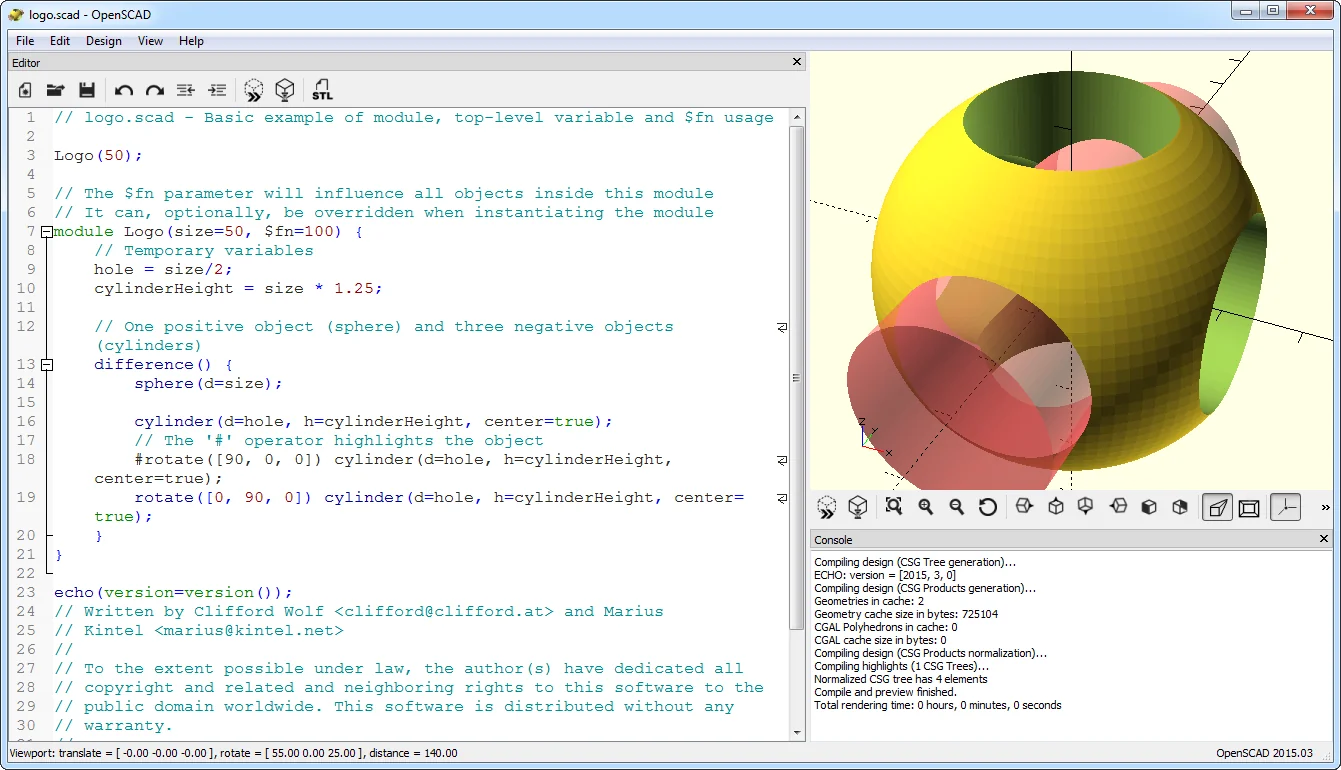
| OpenSCAD | Code-driven CSG | Same CSG idea at a much smaller scale; no ray tracing, density or military analysis infrastructure. |
| Salome / Code_Aster | CAE pre/post-processing | FEA-focused; solver integration leads, rather than BRL-CAD’s CSG modeling and ray-tracing heritage. |
The decision sentence: BRL-CAD is the tool for people who want to analyse volume and material. It is not the tool for people who want to design a product and issue a production package.
Closing: Does It Have an Interior?
BRL-CAD’s 47-year story turns around one engineering question: do you know only the shell of the model, or its interior too?
That question explains both its strength and its limit. A solid model can answer everything from ballistic analysis to mass properties. But building that model demands command-line discipline and CSG thinking; not everyone has the patience.
One-sentence answer: BRL-CAD is a unique open-source engine for volume and material analysis; for general product design, it is a deliberately narrow tool.
A step for today: build a simple assembly from a box and a cylinder, compute its volume and mass with GQA, then export it as STEP. Those three steps show what the tool does and what it does not.
Two questions: does your work genuinely need a model with an interior? And do you have a week to learn how to build one?

Sources
- BRL-CAD, official website — history, military use, platforms, oldest-repository claim and learning-curve note; accessed 7 November 2026. brlcad.org
- BRL-CAD, “Downloads” — 7.46.0 source archives, 7.44.0 macOS and 7.42.2 Windows binaries, file sizes; accessed 7 November 2026. brlcad.org/download
- BRL-CAD, “News” — 7.46.0 release (12 October 2026) and release-note link; accessed 7 November 2026. brlcad.org/news
- BRL-CAD, “About” — hybrid CSG/B-Rep kernel, MGED, NIRT and GQA; accessed 7 November 2026. brlcad.org/about
- BRL-CAD Documentation, “MGED(1)” — Tcl/Tk environment, command line, scripting and primary-editor definition; accessed 7 November 2026. brlcad.org/docs
- BRL-CAD Documentation, “GQA(1)” — ray-grid volume/mass/centroid/inertia, overlaps and tolerance; accessed 7 November 2026. brlcad.org/docs
- BRL-CAD Documentation, “RTWEIGHT(1)” — ray-traced mass, volume and centroid; density sources; accessed 7 November 2026. brlcad.org/docs
- BRL-CAD, “COPYING” — LGPL unified work, BSD/public-domain components, U.S. Government copyright; accessed 7 November 2026. github.com/BRL-CAD/brlcad
- Wikipedia, “BRL-CAD” — accessed 7 November 2026; secondary source for history, CSG/B-Rep, licence and release. en.wikipedia.org/wiki/BRL-CAD
- Terry Hancock, “Was BRL-CAD the tool I was looking for?”, Free Software Magazine — 28 June 2006. freesoftwaremagazine.com (archive)
- Alexandre Prokoudine, “A survey of free CAD systems”, LWN.net — 6 February 2023. lwn.net (archive)