




📥 Free A4 Raspberry Pi 40-Pin GPIO & Linux Cheat Sheet (Vector PDF)
The 8-Section Vector A4 Reference Poster engineered for makers and developers is live! Featuring a color 40-pin header diagram, vital vcgencmd commands, Watchdog, OverlayFS, ZRAM, and PCIe Gen 3 setup recipes:
📊 Data at a Glance: Raspberry Pi Architecture & Vital Thresholds
Technical milestones and safety thresholds to transform your single-board computer into an uncrashable, high-performance industrial device.[1][4][5]
| Critical Under-Voltage | 4.63V (The microsecond voltage drops below this point, the PMIC throttles CPU clock to 600 MHz).[4] |
|---|---|
| Thermal Throttling | 80°C / 85°C (Gradual throttling at 80°C; core voltage locked and severe throttling at 85°C).[4] |
| GPIO Logic Level | 3.3V LVTTL (Header is strictly NOT 5V-tolerant; direct 5V contact will permanently fry the SoC).[5] |
| Root Filesystem Guard | OverlayFS (Redirects ext4 journaling writes to RAM tmpfs, guaranteeing zero SD card corruption).[6] |
| Memory Booster | ZRAM (lz4/zstd) (Compresses memory blocks in RAM, eliminating SD card swap I/O bottlenecks).[7] |
| Hardware Sentry | bcm2835_wdt (Broadcom SoC timer; performs a cold hardware reboot in 15 seconds upon kernel panic).[8] |
A freezing February morning in 2012. The corridors of the University of Cambridge Computer Laboratory.
Laboratory director Eben Upton and his colleagues were debating a troubling trend. In the 1980s, university applicants grew up tinkering with the BBC Micro and Commodore 64; they were young hackers fluent in machine code, soldering irons, and hardware registers. By the 2000s, applicants arrived knowing only how to browse websites behind the closed walls of commercial operating systems. The number of students capable of interfacing directly with microcontrollers had dwindled near zero.[1]
Upton and his team set an audacious goal: Build a full-fledged Linux computer the size of a credit card, priced at just $25, affordable enough for a child’s pocket money.[1][2]
Originally anticipating sales of perhaps 1,000 to 10,000 units, that modest green circuit board has now surpassed 60 million sales worldwide, powering experiments aboard the International Space Station, ocean research buoys, automated factories, and millions of maker workbenches.[1][3]
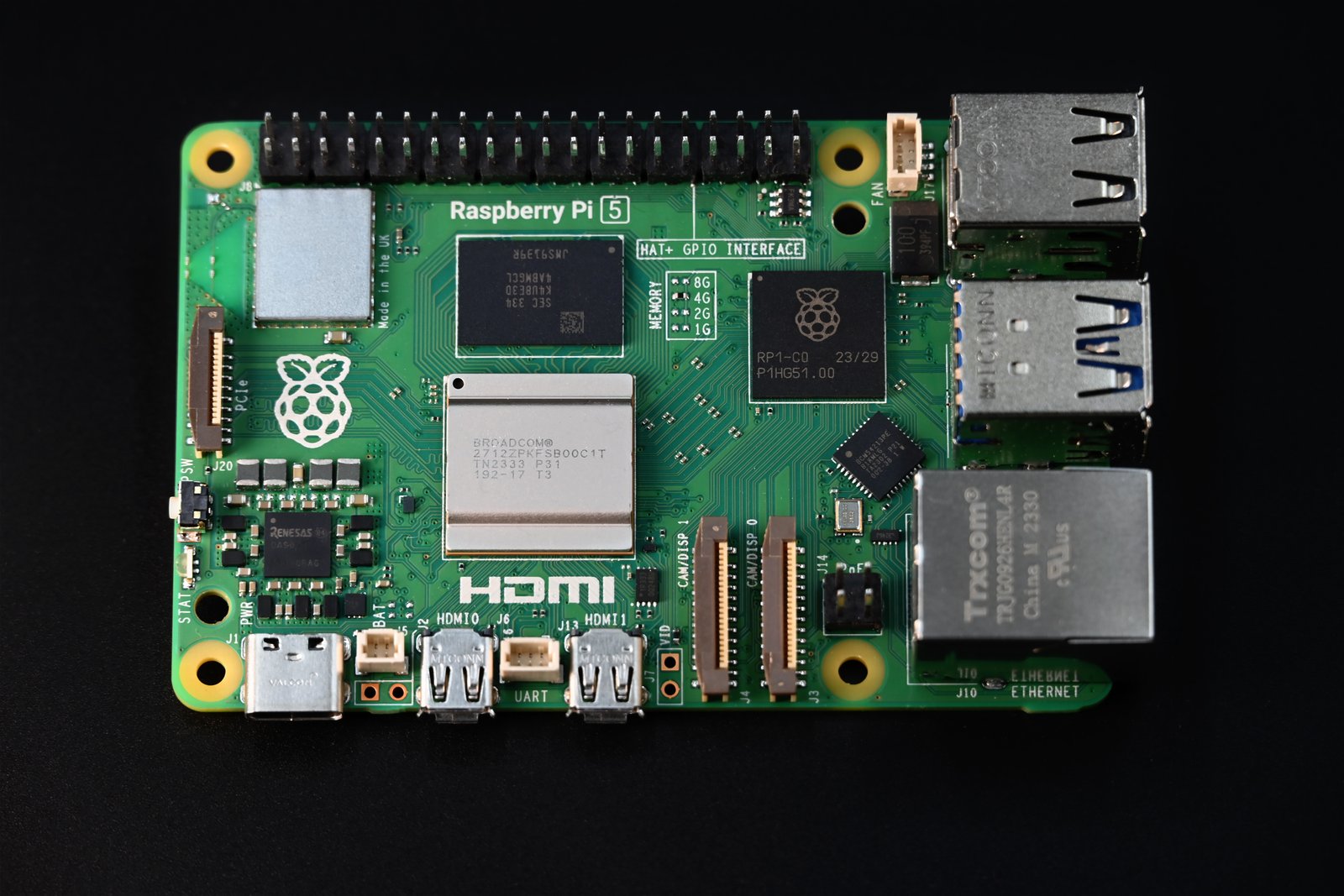
Model Family & Hardware Selection Matrix (2026)
Selecting the right board requires balancing power consumption, pricing, and thermal performance:
| Model | SoC / Processor | RAM | PCIe & NVMe | Power Input & Draw | Ideal Use Case |
|---|---|---|---|---|---|
| Raspberry Pi 5 | Broadcom BCM2712 (4x A76 @ 2.4 GHz) | 2GB – 16GB LPDDR4X | ✅ 1-Lane PCIe Gen 2/3 | 5V / 5.0A USB-C PD (3.5W – 12W) | Desktop PC, Edge AI, NVMe Server, Docker Host |
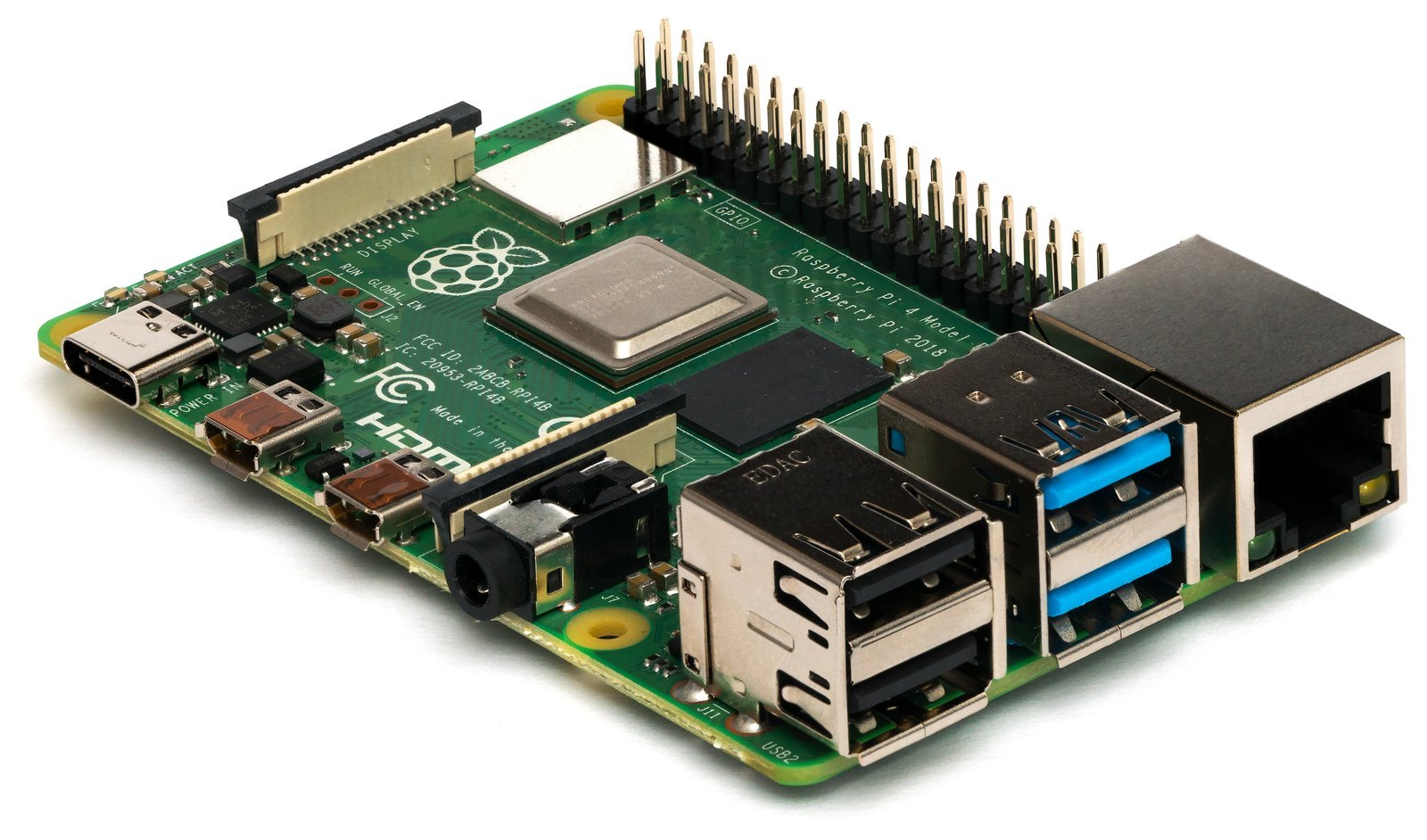
| Raspberry Pi 4 Model B | Broadcom BCM2711 (4x A72 @ 1.8 GHz) | 1GB – 8GB LPDDR4 | ❌ No External Lane | 5V / 3.0A USB-C (3.0W – 7.5W) | Media Center (Kodi), Home Assistant, RetroPie, NAS |
| Raspberry Pi 3 Model B+ | Broadcom BCM2837B0 (4x A53 @ 1.4 GHz) | 1GB LPDDR2 | ❌ None | 5V / 2.5A Micro-USB (2.5W – 5.5W) | Pi-hole DNS sinkhole, Retro emulation, Lightweight IoT |
| Raspberry Pi 2 Model B | Broadcom BCM2836 (4x A7 @ 900 MHz, v1.1) / BCM2837 (v1.2) | 1GB LPDDR2 | ❌ None | 5V / 2.0A Micro-USB (1.5W – 3.5W) | Air-Gapped Wired Networks (No built-in Wi-Fi/BT), Pi-hole, MQTT, Retro Arcade |
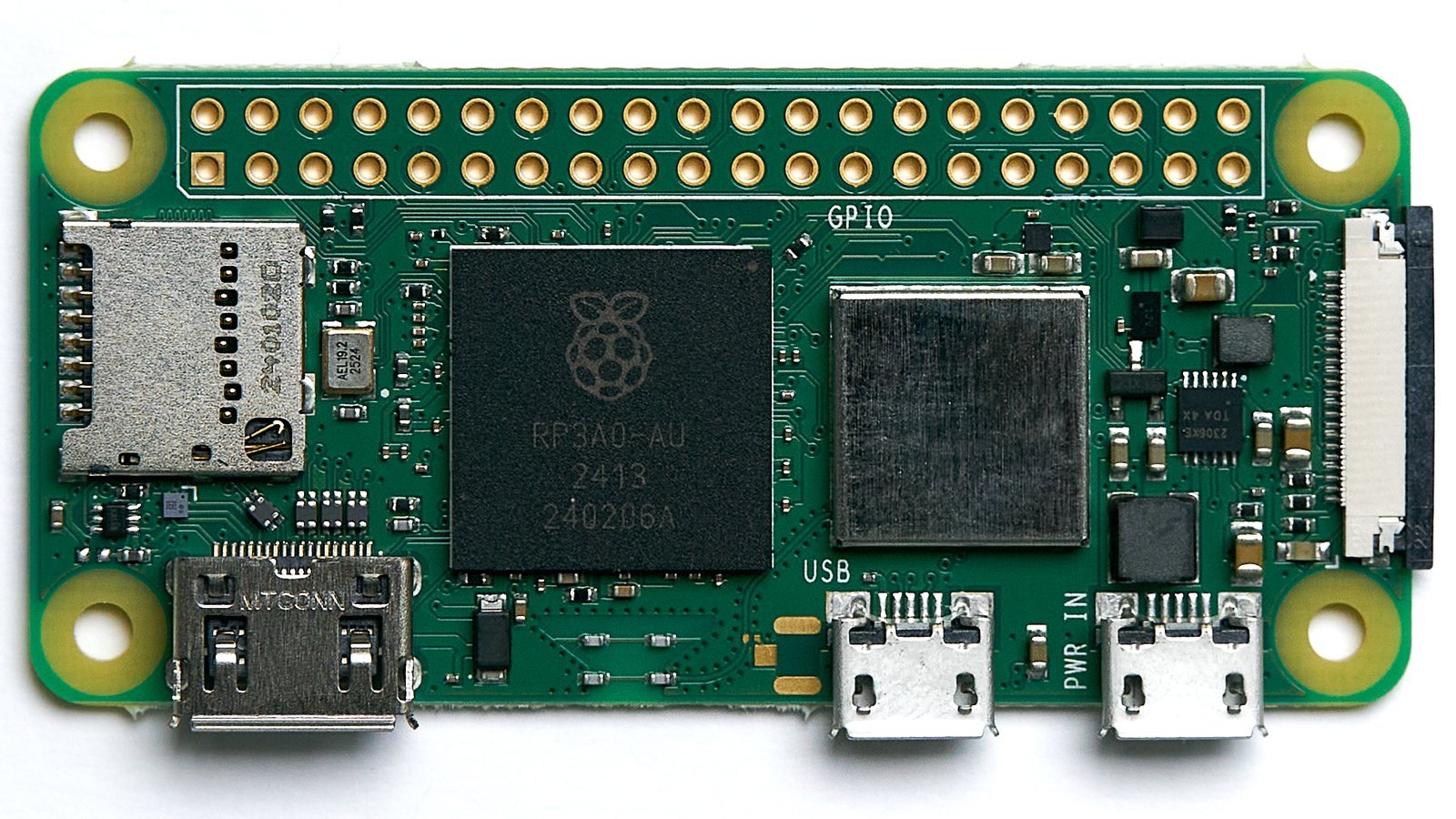
| Raspberry Pi Zero 2 W | RP3A0 SiP (4x A53 @ 1.0 GHz, 64-bit) | 512MB LPDDR2 (In SiP) | ❌ None | 5V / 1.5A Micro-USB (0.7W – 2.8W) | Portable IoT, Drones, Security Cameras, Pwnagotchi |
| Raspberry Pi Pico 2 | RP2350 (Dual Cortex-M33 + Dual RISC-V) | 520KB SRAM + 4MB Flash | ❌ Microcontroller | 1.8V – 5.5V Input (0.05W – 0.2W) | Real-time motor control, sensor telemetry, bare-metal |
⚡ First Twist: The SD Card Myth & Fragile Memory
90% of corrupted SD cards are not caused by substandard flash cells, but by the Linux ext4 journaling filesystem getting interrupted during power loss. The solution is not buying expensive cards, but locking the root filesystem into read-only mode.[6]
1. Stop SD Card Corruption: OverlayFS (Read-Only Root)
OverlayFS locks the physical SD card in strictly read-only mode. All OS writes, temporary files, and system logs are redirected to a volatile tmpfs RAM layer. Even if power is yanked 50 times a day, not a single corrupted byte reaches the SD card.[6]
sudo raspi-config
# -> Performance Options -> Overlay File System -> Enable -> Yes
# -> Boot partition read-only -> Yes -> Reboot
# 2. Verify Status (Root runs on tmpfs overlay):
mount | grep “overlay on /”
2. ZRAM Memory Compression: Lifesaver for Low-RAM Boards
On a Pi Zero 2 W (512 MB) or 1GB/2GB Pi 4, standard disk swapping grinds the SD card to a halt (I/O thrashing). ZRAM converts a chunk of RAM into a compressed virtual block device. Using lz4, data is compressed in real time at a 1:3 ratio, giving a 512 MB board the effective headroom of 1.2 GB with zero disk wear.[7]
sudo dphys-swapfile swapoff && sudo systemctl disable dphys-swapfile
# Install zram-tools:
sudo apt update && sudo apt install -y zram-tools
# Edit /etc/default/zramswap:
PERCENTAGE=60
ALGO=lz4
PRIORITY=100
sudo systemctl restart zramswap && zramctl
3. Hardware Watchdog Timer: The Crash-Proof Auto-Reboot Sentry
The Broadcom SoC houses a hardware countdown timer (bcm2835_wdt). If the Linux kernel hangs or freezes, the system fails to pet the watchdog, and the hardware fires a cold reset after 15 seconds, recovering without human intervention.[8]
dtparam=watchdog=on
# 2. Configure /etc/systemd/system.conf:
RuntimeWatchdogSec=14s
RebootWatchdogSec=10min
# 3. Reboot and simulate a hard kernel crash:
echo 1 | sudo tee /proc/sys/kernel/sysrq
echo c | sudo tee /proc/sysrq-trigger
4. USB OTG Gadget Mode: Headless SSH with a Single USB Cable
Connect a Raspberry Pi Zero, Zero 2 W, or Pi 4 to your computer with a regular USB cable; the board enumerates as a virtual Ethernet network card, letting you SSH in directly without a display or local Wi-Fi router.[9]
# 1. Add to config.txt: dtoverlay=dwc2
# 2. Append to cmdline.txt after rootwait: modules-load=dwc2,g_ether
# 3. Produce empty ‘ssh’ and ‘userconf.txt’ files.
# 4. Plug into PC and connect:
ssh pi@raspberrypi.local
⚡ Second Twist: The Voltage Illusion & 4.63V Mystery
Most inexplicable crashes are not software bugs. Flimsy phone chargers drop voltage under load, and the moment it dips below 4.63V, the hardware drops clock speed to 600 MHz. The command vcgencmd get_throttled unmasks this instantly.[4]
5. Under-Voltage Diagnostics: Decoding vcgencmd get_throttled
| Hex Code | Meaning | Diagnosis & Action |
|---|---|---|
0x1 |
Active Under-Voltage (<4.63V) | Board is starving for power! Replace PSU or cable immediately. |
0x2 |
Active Arm Frequency Capped | CPU clock throttled due to low voltage. |
0x4 |
Active Thermal Throttling (>80°C) | SoC exceeded 80°C; active cooling required. |
0x50000 |
Past Under-Voltage & Thermal Events | Board experienced both brownouts and overheating since boot. |
0x0 |
Perfect Health | Zero voltage dips or thermal events detected. |
6. Raspberry Pi 5 PCIe Gen 3 & NVMe SSD Boot
The PCIe FPC ribbon connector on the Pi 5 defaults to Gen 2.0 (450 MB/s). Paired with a quality NVMe HAT+, you can force Gen 3.0 speeds (870+ MB/s) and configure the EEPROM to boot without any SD card present.[10]
dtparam=pciex1
dtparam=pciex1_gen=3
# 2. Set NVMe boot priority in EEPROM:
sudo rpi-eeprom-config –edit
# BOOT_ORDER=0xf416 (6=NVMe, 1=SD Card)
# 3. Test NVMe Read Speed:
sudo hdparm -t /dev/nvme0n1 # 850 – 890 MB/sec!
7. 40-Pin GPIO & 3.3V LVTTL Survival Rules
Always use a 2-resistor voltage divider (1kΩ / 2kΩ) or a bidirectional logic level shifter with 5V sensors. Safe sink/source current per pin is 3-8 mA (16 mA absolute maximum), with a total package budget of 50 mA across all pins.[5]
8. Kiosk Mode: Silent Headless Boot
Hide Linux console verbosity, raspberry logos, and cursor flickers for commercial dashboards and kiosks:
quiet loglevel=3 logo.nologo consoleblank=1 vt.global_cursor_default=0
# Add to /boot/firmware/config.txt:
disable_splash=1
Frequently Asked Questions (FAQ)
Technical References
- Upton, E. & Halfacree, G. (2014). Raspberry Pi User Guide (3rd Edition). John Wiley & Sons. [ISBN: 978-1118921661]
- Cellan-Jones, R. (2012). A £15 computer to inspire young programmers. BBC News Technology. bbc.com/news/technology-13294371
- Raspberry Pi Foundation. (2024). Annual Review and 60 Million Units Milestone. raspberrypi.org/about
- Raspberry Pi Documentation. (2026). Power Supply & Under-voltage Warning System (vcgencmd). raspberrypi.com/documentation/computers/raspberry-pi.html
- Broadcom BCM2835 / BCM2711 Peripherals Datasheet. (2020). General Purpose I/O (GPIO) Electrical Specifications & 3.3V LVTTL Limitations. Broadcom Corporation.
- Linux Kernel Documentation. (2025). Overlay Filesystem (OverlayFS) Specification. docs.kernel.org/filesystems/overlayfs.html
- Kernel.org. (2025). ZRAM: Compressed Virtual Memory for Linux. docs.kernel.org/admin-guide/blockdev/zram.html
- Raspberry Pi Hardware Architecture. (2025). Watchdog Timer Integration (bcm2835_wdt). raspberrypi.com/documentation/computers/configuration.html
- Linux USB Gadget Subsystem Documentation. (2024). Ethernet over USB (g_ether) Architecture. docs.kernel.org/usb/gadget_testing.html
- Plowman, J. (2023). Introducing Raspberry Pi 5: The RP1 I/O Controller & PCIe Architecture. Raspberry Pi Engineering Blog. raspberrypi.com/news/introducing-raspberry-pi-5