




Data at a Glance: RENK Architecture & Technical Specs
| Project Name | RENK (Independent Raster Image Editor & Layered Painting Tool) |
|---|---|
| Developer | DigiLiner Team |
| Core Stack | .NET 8, Avalonia UI, Skia Graphics Engine, and 128-bit SIMD Vector Acceleration |
| Current Release | v0.1.0 Alpha (Experimental Prototype) |
| Memory Architecture | Tile-Based Pixel Processing Pipeline (Scales up to 8K Canvas) |
| Distribution Formats | In-Browser Client Edition (/renk/), Portable Windows x64 .exe (~283 MiB), Linux AppImage |
| Supported Formats | PNG, JPEG, WebP, SVG, Adobe Photoshop (.psd), Krita (.kra), GIMP (.xcf import) |
| Privacy Policy | 100% Local Processing; Zero Remote File Uploads or Telemetry |
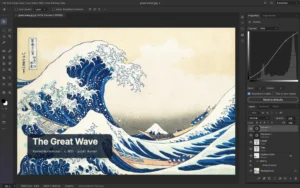
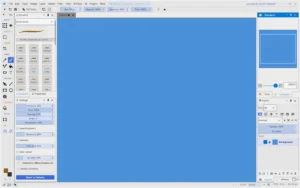
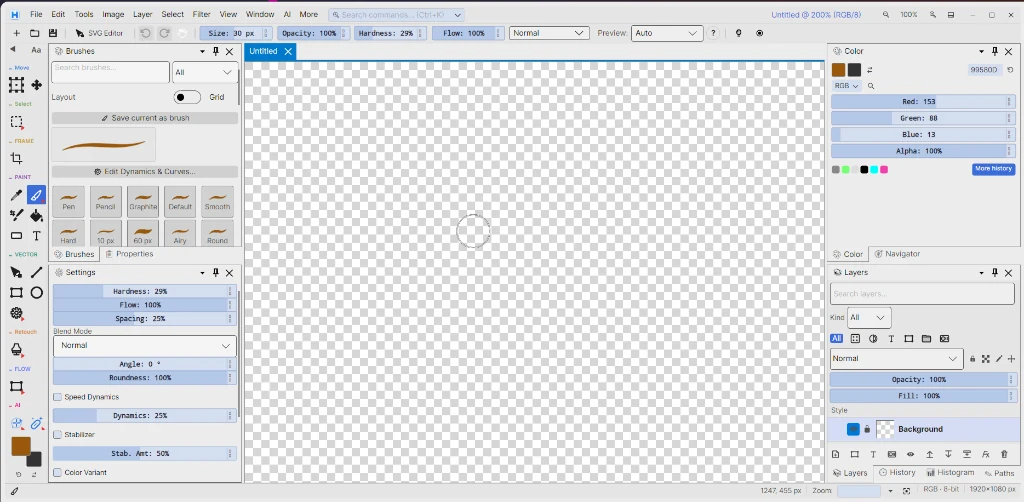
RENK is an independent raster image editor and engineering experiment that runs directly in local memory without cloud subscriptions or background licensing daemons. In this guide, we break down its .NET 8, Avalonia UI, Skia, and tile-based architecture, its portable builds, and its honest alpha-stage limitations.
Cold Open: A Background Army for a Single Crop
You sit down at your desk. The task is dead simple: crop a screenshot, drop two readable callout layers on top, and export a WebP.
Yet clicking the app icon does not merely open a canvas. Update agents, cloud sync daemons, session validators, and telemetry processes spin up in the background. Editing a single layer ends up demanding gigabytes of disk space and hundreds of megabytes of RAM.
Why did manipulating a two-dimensional pixel matrix turn into such heavy bureaucracy?
The RENK project started precisely to answer that question. Its goal was never to out-feature giant commercial suites, but to demonstrate how modern .NET 8, hardware-accelerated vector/raster rendering, and local-first client engineering can power a user-owned, telemetry-free, independent image editor. (If you are curious about a similar Rust-based open-source alternative, check out our PhotoCraft review.)
1. Architectural Foundation: Why Avalonia UI and Skia?
When designing a cross-platform desktop image editor, the very first architectural decision is which UI layer carries pixel data to the screen:
- Web-Wrapped Desktop Shells (Electron / Chromium): Packaging web UIs is convenient, but spinning up a separate browser engine and DOM tree for every window increases memory overhead and input latency on high-resolution canvases.
- Platform-Specific Native Toolkits (Win32, Cocoa, GTK): They offer tight OS integration, yet force you to write and synchronize two separate UI layers for Windows and Linux.
- The Chosen Path — Avalonia UI + Skia: Avalonia UI is a modern XAML framework that draws its own visual tree without depending on native OS widgets [1]. Under the hood, it relies on the Skia 2D Graphics Engine (via the
SkiaSharpbridge) — the same rendering engine powering Google Chrome, Android, and Flutter [1], [2].
└── Canvas Interaction (Mouse, Pen Pressure, Zoom & Pan)
└── [ Layer Composition Engine ]
├── Tile-Based Memory Management → Allocates only active regions on large canvases (up to 8K)
└── .NET 8 128-bit SIMD Acceleration → Parallel pixel channel and alpha blending math
└── [ Skia Graphics Engine (GPU / Rasterizer) ] → Screen output via Direct3D, OpenGL, or Vulkan
Thanks to this separation, a single C# codebase compiles to Windows desktop, Linux desktop, and the web browser [1]. We previously explored cross-platform .NET experiments in our guide to running .NET on Linux with Mono; RENK pushes that same philosophy further with modern .NET 8 and hardware-accelerated 2D rendering.
First Turning Point: The Flat Array Trap and Tile Architecture
A developer writing their first image editor instinctively allocates the canvas as one contiguous byte array (byte[]). For a small icon, that works fine. Scale up the canvas, and the math turns unforgiving:
- At 7680 × 4320 (8K) resolution, a single 8-bit-per-channel RGBA layer requires 7680 × 4320 × 4 = 132,710,400 bytes (~126.5 MiB) of contiguous memory.
- Add just 8 layers, and the application must reserve over 1 GiB of RAM — even for blank corners where you have not drawn a single stroke.
- Worse, large arrays land on .NET’s Large Object Heap (LOH), inviting memory fragmentation and garbage-collection pauses.
The Fix: Tile-Based Pixel Processing Pipeline
Like mature desktop raster editors, RENK partitions the canvas into small tiles:
- Opening a new layer does not pre-allocate pixel memory for the entire canvas.
- When you paint a stroke in one corner, only the tiles intersecting those coordinates become active in RAM.
- Undo/Redo history snapshots only the modified tiles, rather than duplicating the entire 8K bitmap.
Even on an 8K canvas, memory consumption stays proportional to the pixels you actually paint rather than empty white space.
2. 128-Bit SIMD Vectorization for Pixel Blending
Whenever one layer is composited over another using Source Over or another blend mode, the CPU has to evaluate Red, Green, Blue, and Alpha (R, G, B, A) channels for every pixel. A single 1920 × 1080 frame holds 2,073,600 pixels; a multi-layer project pushes tens of millions of pixel operations per second.
A classic scalar loop processes pixels one by one. Modern .NET 8, through System.Runtime.Intrinsics, gives direct access to 128-bit SIMD (Single Instruction, Multiple Data) hardware registers [3]:
- 128-bit
Vector128<byte>orVector128<ushort>registers process multiple color channels in parallel within a single clock cycle [3]. .NET 8‘s JIT compiler automatically maps the hardware-agnosticVector128<T>API to native CPU instructions — SSE2 / AVX2 on x86/x64 and NEON on ARM64 [3].
using System;
using System.Runtime.CompilerServices;
using System.Runtime.Intrinsics;

// Hardware-agnostic pixel buffer inversion using 128-bit SIMD
public static void InvertChannelsVectorized(Span<byte> rgbaPixels)
{
    int i = 0;
    Vector128<byte> mask = Vector128<byte>.AllBitsSet; // All bytes set to 0xFF (255)

    // Process 16 bytes (four 32-bit RGBA pixels) in parallel per iteration
    if (Vector128.IsHardwareAccelerated && rgbaPixels.Length >= 16)
    {
        int limit = rgbaPixels.Length - 16;
        for (; i <= limit; i += 16)
        {
            var chunk = Vector128.LoadUnsafe(ref rgbaPixels[i]);
            var inverted = mask ^ chunk;
            inverted.StoreUnsafe(ref rgbaPixels[i]);
        }
    }

    for (; i < rgbaPixels.Length; i++)
    {
        rgbaPixels[i] = (byte)(255 - rgbaPixels[i]);
    }
}
Compared to scalar loops, this approach keeps CPU pipelines saturated during in-memory filter and pixel passes, giving brush strokes and layer toggles snappier response times [3].
3. From Desktop to Browser: Zero-Install Access and Portable Packages
RENK ships both as zero-install portable desktop packages and as an in-browser client application:
- Launch Instantly in the Browser (Client-Side): Open https://digiliner.org/renk/ to load Renk Image Studio Web straight in your browser. Your images are processed locally in RAM without ever being uploaded to a remote server.
- Windows x64 (Single Portable
.exe— ~283 MiB): Run directly with no registry entries or installer wizard: Renk-v0.1.0-alpha-windows-x64.exe. (Because the single-file bundle embeds the .NET runtime and native Skia libraries, it weighs around 283 MiB.) - Linux x86_64 (Portable AppImage): Run without installing system dependencies: Renk-v0.1.0-alpha-x86_64.AppImage.
Second Turning Point: An Honest Self-Critique — Alpha Boundaries
Presenting early-stage software as a “drop-in replacement for everything” would not be honest. RENK v0.1.0 is an alpha prototype, and its boundaries are clear:
- Stability and Missing Tools: Bugs remain, and several advanced photo manipulation and retouching tools are still maturing.
- The Bundle Size Trade-Off: A self-contained .NET + Skia binary gives true zero-install convenience, yet embedding the runtime pushes the Windows package to ~283 MiB.
- Ecosystem Maturity: Its brush and plugin catalog does not yet match long-established open-source giants like Krita or GIMP.
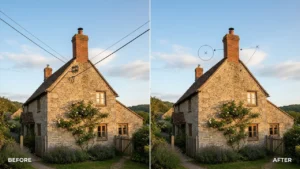
This project is an open engineering exercise showing how a pixel editor can be built from scratch outside heavy subscription ecosystems. If you want to practice photo editing workflows right away, explore our 100 Most Popular Photoshop Tricks in RENK guide and our Clone Stamp object removal tutorial.
4. File Format Support: Bridging Open and Industry Standards
Rather than locking users inside a proprietary project container, RENK aims to interoperate with widely used layered formats:
- Adobe Photoshop (
.psd): Import support preserving layer structure, blend modes, and opacity values. - Krita (
.kra): Reads Krita’s openly documented ZIP-based XML + PNG layer packaging standard [4]. - GIMP (
.xcf) & Web Formats: Supports.xcfimport alongsidePNG,JPEG,WebP, andSVG.
5. Version & Changelog
RENK maintains an independent, telemetry-free development cycle with transparent release logs. Built on modern .NET 10, Avalonia UI, and Skia, recent builds are delivered simultaneously for Windows, Linux, and directly inside web browsers via WebAssembly.
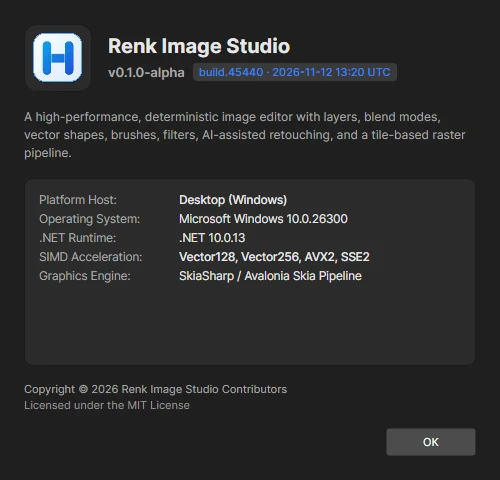
Live Build Downloads & Access
| Platform | Package Format | Size | Download / Access |
|---|---|---|---|
| Windows x64 | Portable Single File (.exe) |
287.3 MiB (301,312,729 bytes) |
Renk-v0.1.0-alpha-windows-x64.exe |
| Linux x86_64 | Standalone Executable (.AppImage) |
266.4 MiB (279,401,664 bytes) |
Renk-v0.1.0-alpha-x86_64.AppImage |
| Web (WASM) | Client-Side WebAssembly | 135.0 MiB (352 files) | digiliner.org/renk/ (Run in browser) |
v0.1.0-alpha Changelog Highlights (CR-200 & CR-210 Waves)
- .NET 10 Runtime Upgrade: Upgraded runtime infrastructure to
.NET 10, bringing enhancedVector128<T>SIMD vectorization and refreshedSkiaraster pipeline. - Atomic Settings Persistence (
SEC1): Application preferences and canvas states now use atomic temporary file replacement (.tmpwrite followed by atomicReplace), preventing configuration corruption during abrupt shutdowns. - Universal Command Search (
Ctrl+K): IntegratedCommandSearchIndexfuzzy launcher, enabling instant keyboard navigation across all 66 tools, 28 blend modes, and filter dialogs. - Selection & Masking Expansion: Introduced Magnetic Lasso, Object Lasso, Perspective Crop, and brush dynamics settings.
- Color & Texture Processing: Added 3D LUT (
.cube) color lookup tables (Lut3D), wavelet frequency separation (WaveletOps), seam carving, and advancedBlendIfOpstonal range sliders. - Verifiable Build Stamp: Replaced static version strings with dynamic
build.{id} · YYYY-MM-DD HH:mm UTCtimestamps in the About dialog.
Decision Matrix: Who Should Try RENK?
| Criterion | RENK (v0.1.0 Alpha) | GIMP / Krita | Commercial Cloud Suites |
|---|---|---|---|
| Cost & License | Completely Free (Freeware / Open Tech) | Free & Open Source (GPL) | Monthly Subscription |
| Installation | None (Web or Single Portable File) | System Install (AppImage available) | Heavy Desktop Install + Background Daemons |
| Privacy & Telemetry | 100% Local Processing, Zero Telemetry | 100% Local Processing | Cloud Sync & Account Lock-In |
| Maturity Level | Early Alpha (Core layers, filters & format bridge) | Battle-Tested Production Grade | Industry Standard |
| Best Use Case | Quick layered edits, opening PSD/KRA files, privacy-focused browser work | Professional illustration, deep photo retouching | Print (CMYK) & large team pipelines |
To compare RENK against other open-source tools side by side, browse our 239 Best Free Open Source Windows Software Directory (2026).
Closing: Keeping Control Over Your Pixels
At a time when image-editing software is increasingly tied to cloud accounts and monthly rentals, tools that launch from a single local file — or never send a single byte outside your browser — carry real value. RENK is still at the start of its journey, yet it offers concrete proof of how clean a desktop graphics engine can be on top of .NET 8, Avalonia, and Skia.
- In an image editor, do you prioritize a massive plugin ecosystem or zero-install, telemetry-free local execution?
- Can in-browser WebAssembly tools fully replace desktop installations for everyday cropping and layered edits?
Verified Sources
- [1] Avalonia UI Official Documentation: Avalonia Rendering & Cross-Platform UI Architecture (Skia Backend). URL: https://docs.avaloniaui.net/
- [2] Google Skia 2D Graphics Library: Skia Hardware-Accelerated 2D Graphics Engine Overview. URL: https://skia.org/
- [3] Microsoft Learn (.NET 8): SIMD-Accelerated Numeric Types &
System.Runtime.Intrinsics(Vector128<T>). URL: https://learn.microsoft.com/en-us/dotnet/standard/simd - [4] Krita Official Documentation: The
.kraFile Format Specification. URL: https://docs.krita.org/en/general_concepts/file_formats/file_kra.html