EN
 TR
 DE
 FR
 ES
📌 At a Glance: .NET Testing with Mono on Linux
| Development Tool | Microsoft Visual Studio & C# (Windows Forms / GDI+) |
|---|---|
| Target Runtime | Mono Runtime (Open Source .NET Framework) |
| Target Operating System | Linux (Debian / Ubuntu / Raspberry Pi OS) |
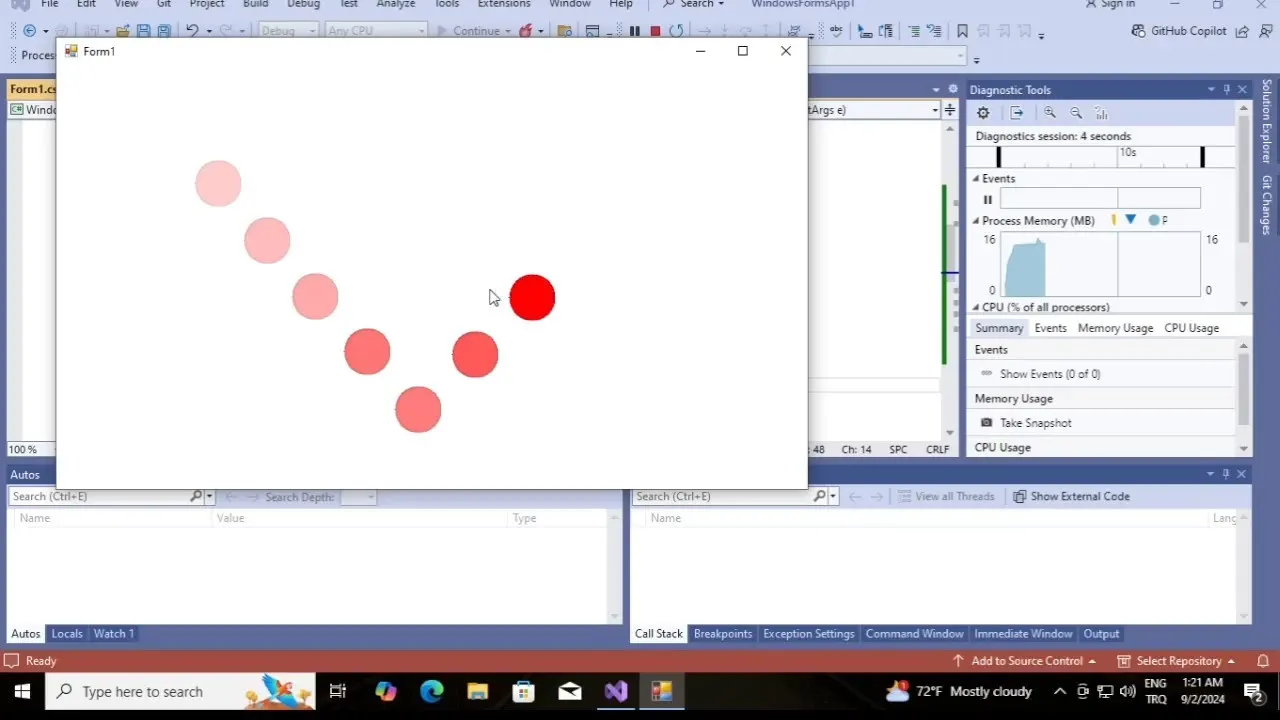
| Test Project | Bouncing Ball (Gravity and Collision Physics Simulation) |
| Graphics Drawing Engine | System.Drawing and Linux X11 Integration |
| Aim | Verifying Binary Compatibility Without Switching Code Between Two Operating Systems |
Before modern .NET, the most popular way to run Windows applications written in C# in a Linux environment was through the open source Mono project.This tutorial shows how a moving ball simulation developed with Visual Studio runs with zero errors on Linux.
Introduction: Cross-Platform .NET Architecture and Mono
The Mono project, initiated under the leadership of Miguel de Icaza, broke new ground in the software world by porting Microsoft’s .NET runtime to Linux and Unix derivatives.In this guide, how to run a binary file (binary .exe) compiled in Windows environment directly in Linux is discussed with a practical simulation [1].
1. Windows Forms and GDI+ Physics Simulation
The bouncing ball implementation simulates the object hitting the screen borders with graphics double buffering and timer loops:
private void timer1_Tick(object sender, EventArgs e)
{
    ballX += speedX;
    ballY += speedY;

    // Duvarlardan sekme kontrolleri
    if (ballX < 0 || ballX + ballRadius > this.ClientSize.Width) speedX = -speedX;
    if (ballY < 0 || ballY + ballRadius > this.ClientSize.Height) speedY = -speedY;

    this.Invalidate(); // Yeniden çiz
}
2. Running with Mono in Linux Environment
To run the compiled file in the Linux terminal, all you need to do is give the following command [2]:
sudo apt update && sudo apt install mono-complete
mono BouncingBallApp.exe
Mono translates System.Windows.Forms calls to the X11 window manager, seamlessly displaying the image on the screen.
Independent Sources and References
[1] Mono Project Documentation: Mono Project: Cross platform, open source .NET framework
[2] Linux Graphics Architecture: X.Org Foundation: X11 Windowing System Architecture