📍 Part of our comprehensive guide: Ultimate List of 3D Model Sites
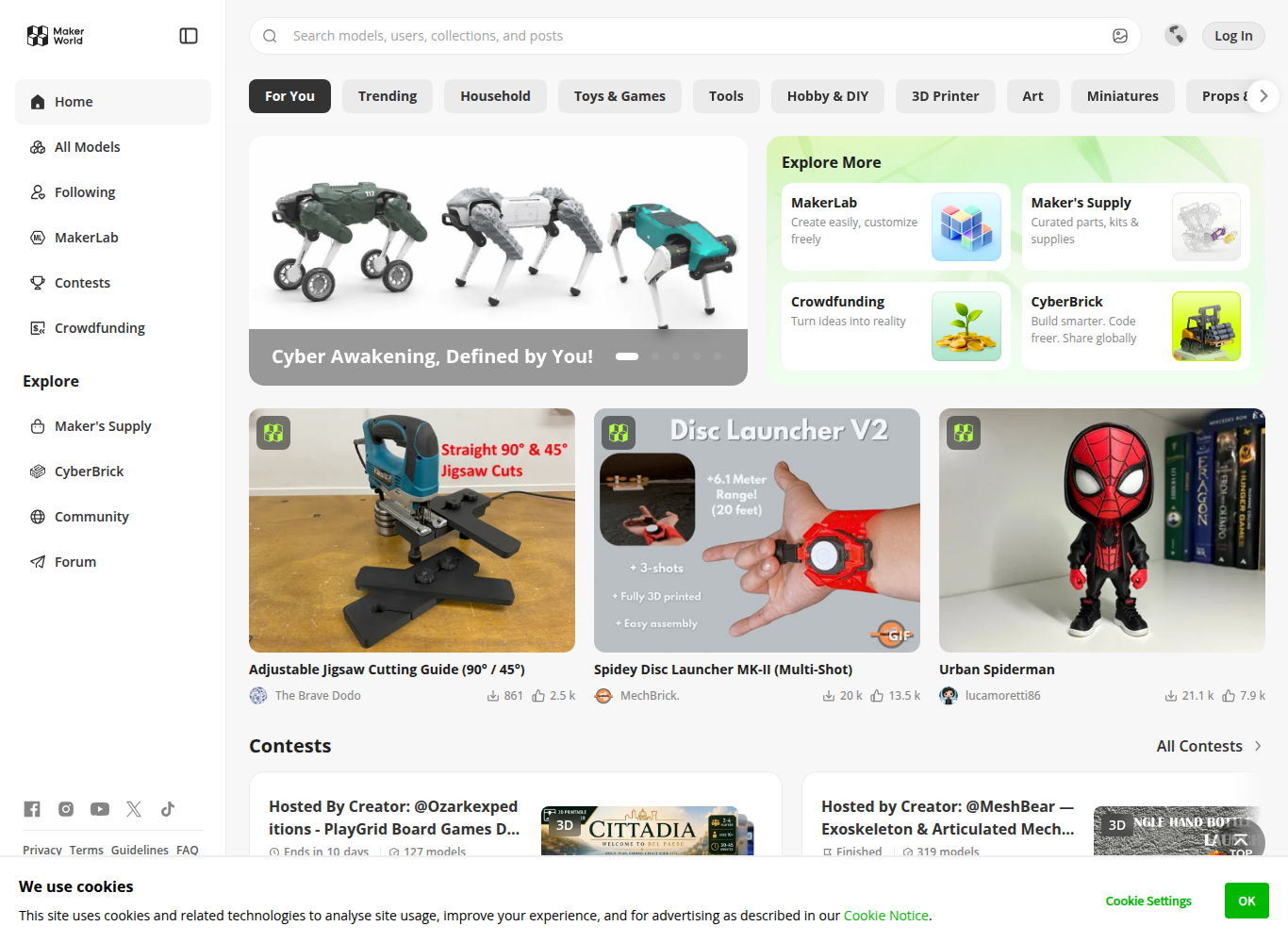
MakerWorld (developed by Bambu Lab) is the revolutionary 3D model platform designed for seamless multi-color 3D printing and 1-click cloud slicing. Directly integrated into the Bambu Handy mobile app and Bambu Studio slicer, MakerWorld allows makers to send complex multi-material models directly to their printer from a smartphone, backed by the Maker’s Supply hardware ecosystem.
⚡ Platform At a Glance
The 1-Click Mobile 3D Printing Revolution
Bambu Lab fundamentally disrupted the consumer 3D printing industry with high-speed CoreXY machines (X1-Carbon, P1S, A1, A1 Mini) and the Automatic Material System (AMS). To accompany this hardware revolution, **MakerWorld** was built to eliminate the steep learning curve of desktop slicing software.
Using the **Bambu Handy app**, users can browse MakerWorld on their phone, select a verified multi-color model, choose an AMS filament slot mapping, and click ‘Print’. The cloud backend slices the model remotely and streams G-code directly to the printer.
Maker’s Supply: Bridging 3D Printing and Real Hardware
One of MakerWorld’s most innovative features is **Maker’s Supply**. Designers can incorporate standardized non-printed components—such as micro-motors, rechargeable batteries, LED light kits, ball bearings, and wireless modules—into their 3D models. Users can purchase the exact hardware kit with 1-click from Bambu Lab to build functional desk lamps, remote-controlled cars, and motorized automata.
Multi-Color Painting & Slicing Profiles
Models on MakerWorld feature pre-painted color maps for AMS multi-filament setups. Slicing profiles are rated and verified by the community, ensuring optimal purge tower volumes and flush ratios to prevent wasted filament.
Supported Formats & Software Compatibility
| Format | Target Software / Engine | Best Application |
|---|---|---|
| .3MF (Bambu Studio) | Bambu Studio, OrcaSlicer, PrusaSlicer | Multi-color painted layers, AMS slot assignments, and purge settings |
| .STEP | CAD Modeling Suites | Lossless solid engineering geometry |
| .STL | Universal Slicers | Standard 3D mesh |
⚖️ Licensing, Copyright & Legal Protection
Flexible Creative Commons licensing. Designers can designate commercial rights, remixing permissions, or restrict distribution. Commercial physical print licenses can be managed through creator subscription channels.
💰 Pricing & Creator Royalty Structure
Free model access for users. Creators earn MakerWorld points when users print their models, which can be exchanged for official Bambu Lab store gift cards (used to purchase filament, accessories, and new 3D printers).
Pros & Cons Summary
✅ Strengths
- Unrivaled 1-click print experience directly from mobile phone to AMS printers.
- Maker’s Supply hardware kits make building complex electromechanical gadgets simple.
- Generous creator points system redeemable for high-value Bambu Lab store vouchers.
- Pre-painted multi-color profiles eliminate tedious manual color bucket tool painting.
⚠️ Considerations
- Tightly optimized for Bambu Lab hardware, though .3MF files open in OrcaSlicer/PrusaSlicer.
- High influx of uploads requires checking user ratings for tested print profiles.
Frequently Asked Questions
Can I use MakerWorld models on non-Bambu 3D printers (like Creality or Prusa)?
Yes! You can download the standard .3MF or .STL file and open it in PrusaSlicer, Cura, or OrcaSlicer for any 3D printer.
What is Maker’s Supply?
Maker’s Supply is Bambu Lab’s official hardware catalog containing screws, motors, LEDs, and bearings that match specific MakerWorld 3D printable designs.
How do I earn Bambu Lab gift cards on MakerWorld?
When other makers download, print, or rate your models on MakerWorld, you accumulate reward points that can be redeemed for official digital gift cards in the Bambu Lab store.
Explore Related 3D Platforms
Compare with these top alternative 3D platforms in our directory:
- Printables (by Prusa) Review
- Thingiverse Review
- Cults3D Review
- Browse the full index: Ultimate List of 50+ 3D Model Sites